
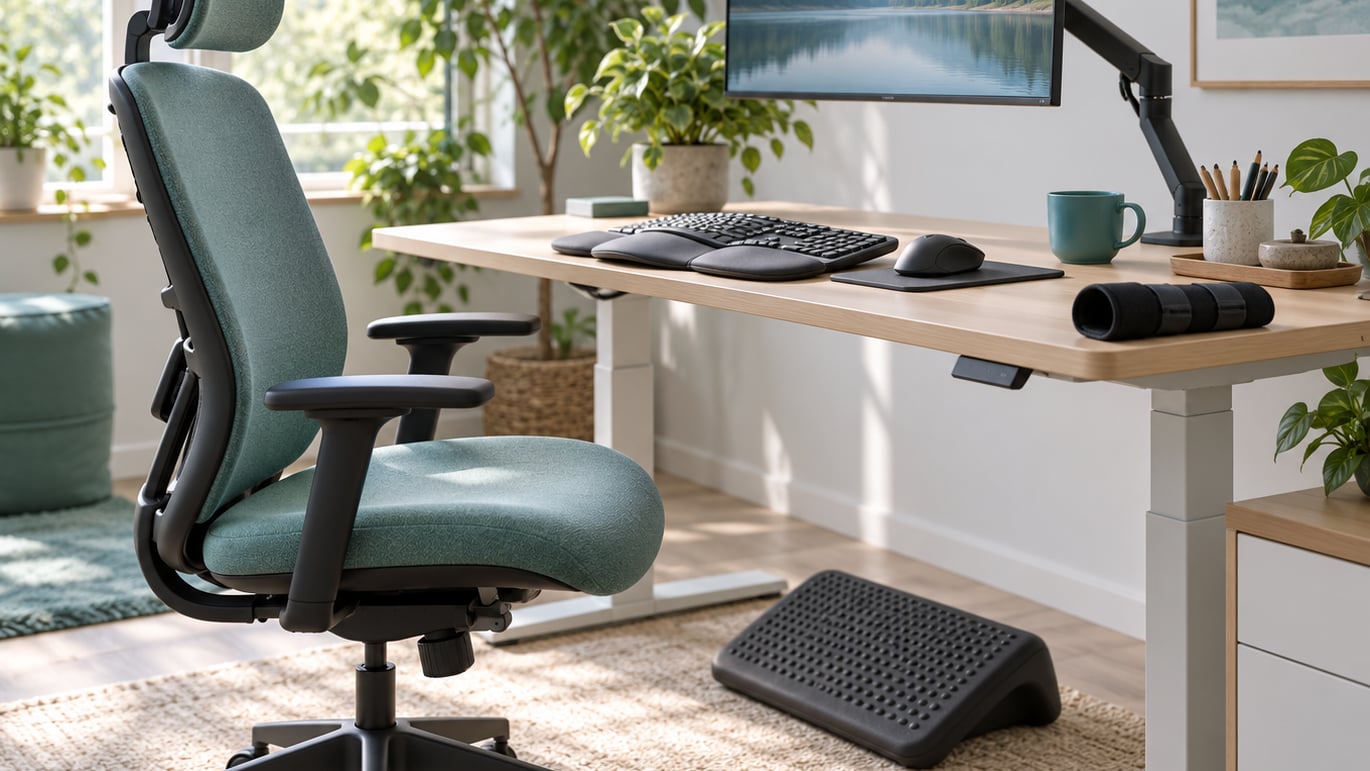
Working with arthritis is mostly about small, repeatable changes: a monitor at the right height, a two-minute stand-up every hour, a bigger grip on the mouse, and a manager who knows which tasks hurt you most. Arthritis is a group of over 100 conditions that cause pain, stiffness and inflammation in joints, and roughly 64% of adults who have it are under 65, so most people managing it are still working. Here are 14 working with arthritis tips that employees, managers and workplace health teams can put into practice this week.
This is general information, not individual medical or legal advice. Your symptoms, your treatment plan and the rules at your workplace are your own — talk with a qualified healthcare professional and your HR team about specifics.
Table of Contents
- Working With Arthritis Tips at a Glance
- 1. Adjust the Workstation for Joint Comfort
- 2. Use Small Tools to Reduce Hand Strain
- 3. Change Positions Instead of Staying Rigid
- 4. Take Movement Breaks Throughout the Day
- 5. Pace Demanding Tasks
- 6. Plan Ahead for High-Strain Shifts
- 7. Ask for Appropriate Equipment or Assistance
- 8. Communicate Clearly With a Manager
- 9. Treat Fatigue as a Workload Signal
- 10. Create a Personal Arthritis Work Plan
- 11. Support Employees With Arthritis at Work
- 12. Review Workplace Policies for Accessibility
- 13. Watch for Warning Signs Instead of Ignoring Pain
- 14. Build a Sustainable Routine for the Long Term
- Frequently Asked Questions
- Conclusion
Working With Arthritis Tips at a Glance
The table below gives you the short version. Read the row that matches the part of your workday that hurts most right now, then jump to that section.
| Tip | What it addresses | Where to start |
|---|---|---|
| 1. Adjust the workstation | Wrist, neck, hip and back strain from fixed postures | Screen height, chair support, reach zones |
| 2. Use small tools | Hand fatigue from gripping and typing | Larger grips, document holder, voice input |
| 3. Change positions | Stiffness from sitting or standing all shift | Alternate sit, stand and walk |
| 4. Take movement breaks | Stiffness that builds over hours | Two to five minutes, several times a shift |
| 5. Pace demanding tasks | Repetitive, forceful or sustained effort | Break heavy work into segments |
| 6. Plan for high-strain shifts | Bad days and unpredictable flare-ups | Prepare the night before, pack a kit |
| 7. Ask for equipment or help | Tasks the body simply cannot do safely | Tool, cart, alternate station, teammate |
| 8. Communicate with a manager | Unmet needs and unhelpful adjustments | Specific asks, then a follow-up date |
| 9. Treat fatigue as a signal | Concentration, movement and safety risk | Adjust workload, seek clinical advice |
| 10. Build a personal work plan | Starting over each time symptoms change | Track triggers, adjustments, questions |
| 11. Support employees with arthritis | Managers unsure what to offer | Flexible breaks, ergonomic review |
| 12. Review workplace policies | Confusing rules about leave and remote work | Breaks, leave, attendance, health records |
| 13. Watch for warning signs | Symptoms that should not be worked through | Know when to stop and get help |
| 14. Build a sustainable routine | Short fixes that fade after a few weeks | Review the plan quarterly |
1. Adjust the Workstation for Joint Comfort
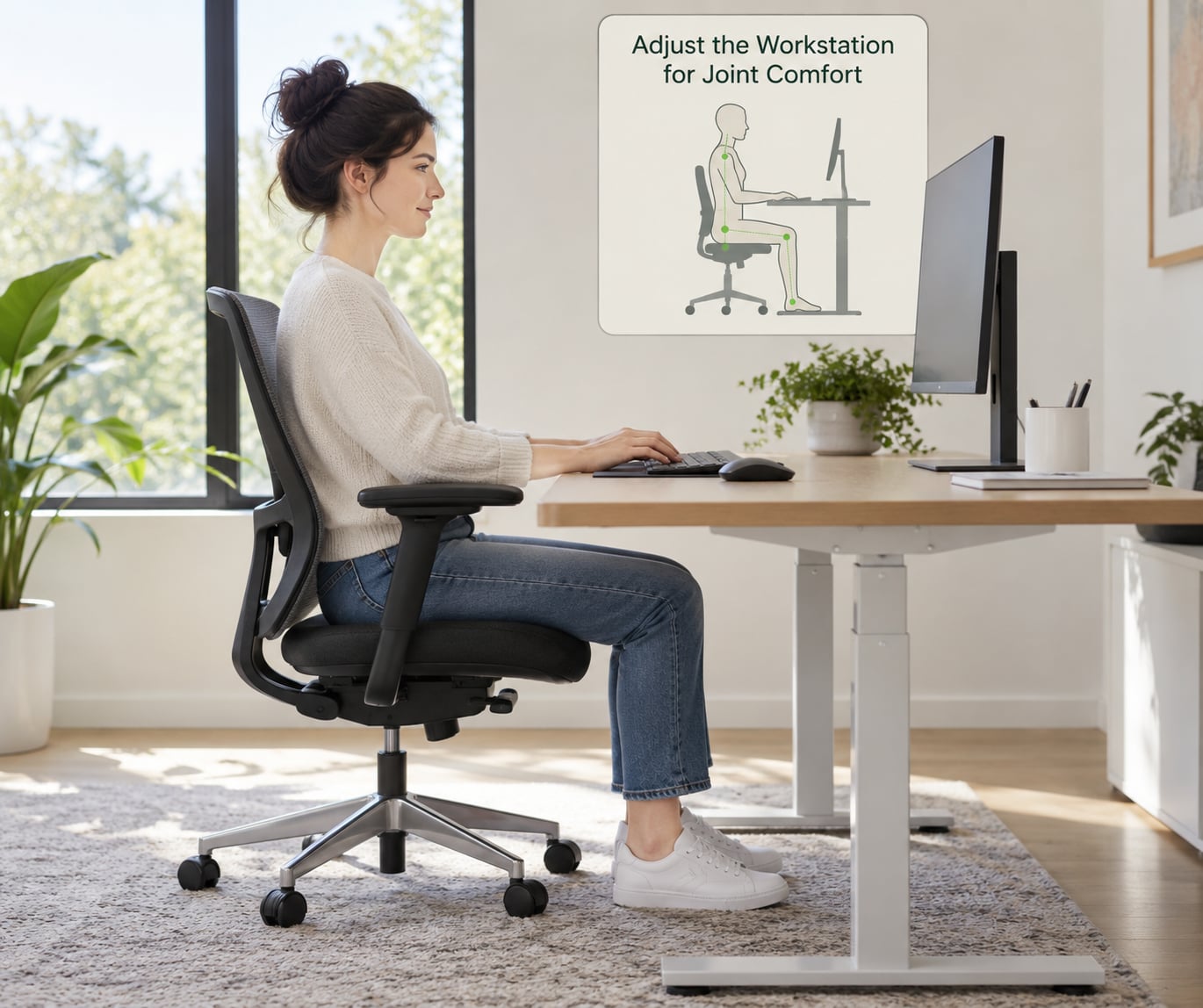
The most useful workstation changes are the boring ones: put the screen where your neck stays neutral, get the things you use every hour within easy reach, and stop making your wrists do the work your arms should be doing.
Start with a five-minute audit. Sit or stand the way you normally do, then check three things. First, the top of the screen should sit roughly at eye level so you are not tilting your neck up or down for hours. Second, your elbows should hang close to your sides at about a right angle when your hands are on the desk. Third, anything you reach for more than a few times a day — the phone, the keyboard tray, the scanner, the paperwork tray — should be within forearm reach without leaning or twisting.
Keyboard and mouse placement matters as much as the chair. If you type a lot, keep the keyboard flat or at a slight negative tilt with the mouse on the same level and right beside it, so you are not reaching across the desk all day. A footrest helps when your feet do not rest flat, and a chair with real lumbar support beats a chair with a thin pad if you are sitting for hours.
One honest warning: equipment helps most when the rest of the workday is varied. An adjusted desk cannot rescue eight hours of identical repetition. Think of the workstation as one layer, not the whole answer.
2. Use Small Tools to Reduce Hand Strain
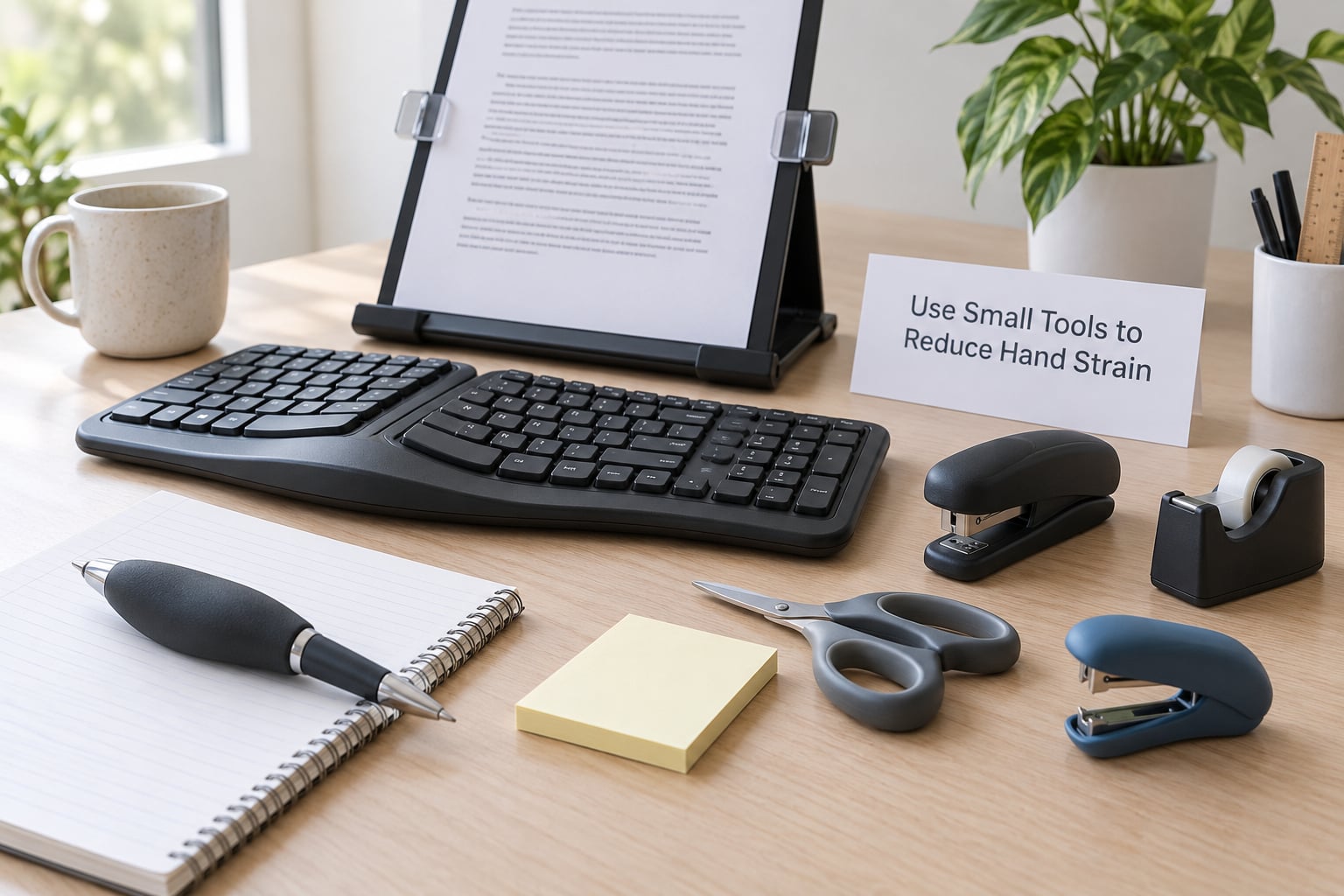
Hand and wrist pain at a keyboard is usually a force and repetition problem, and both are adjustable. A wider pen barrel, a mouse that fits your hand, and a document holder that keeps the page at a fixed angle take real load off your fingers and forearms.
Voice dictation is the biggest lever for people whose hands are the problem. If you write or type more than an hour a day, converting dictation and routine email to speech can remove hundreds of repetitive finger movements before lunch. That one change does more than any brace for most desk workers.
For hands-on work, think about leverage instead of muscle. A jar opener, a grabber tool for low shelves, and a light-weight option for a task you currently force with your wrist are cheap to test. Try one tool for a week before you judge it, because grip size and habit take a few days to feel normal.
Where do these tools come from? Some employers cover ergonomic equipment or occupational therapy assessments. It is worth asking, and it is easier to ask for a specific tool than for a general improvement. Our guide to accommodating workers with disabilities at work covers how those conversations usually go.
3. Change Positions Instead of Staying Rigid
Sitting all day and standing all day are both hard on joints. What your body objects to is the same position held for hours, so the answer is switching rather than choosing a side.
A sit-stand desk is the obvious tool here, but it works best with a schedule. Stand for the parts of the day that need energy — calls, reading, thinking — and sit for the detailed work where you need a stable surface and a good keyboard angle. If you do not have an adjustable desk, a sturdy platform that raises an existing desk to standing height for part of the day does the same job.
Position changes also include things that are not sitting or standing. Leaning back with your feet up for ten minutes counts. Sitting forward with your forearms on the desk counts. So does a two-minute walk to the printer if the printer is far enough away to matter. None of these are exercise, but each one breaks the sustained load.
If your job genuinely keeps you in one position — a standing counter, a machine operator’s seat, a driving shift — the practical move is to change position as much as the role allows and adjust the equipment around the constraint. People doing physical jobs say pacing and support gear are what make the difference, and that matches what we hear from workers in trades and healthcare roles.
4. Take Movement Breaks Throughout the Day
Short and frequent beats long and rare. Most people who report that breaks work say two to five minutes, several times across a shift, is the sweet spot — a long break once at the end of the day does nothing for the stiffness you already had at three.
Build the breaks around triggers rather than a fixed clock. Set one after screen-heavy work, one before a physically demanding task, and one when you notice you have stopped shifting position. Movement need not be exercise: walking to get water, stretching your ankles and wrists, rolling your shoulders, or shifting your weight from one foot to the other all count.
Range-of-motion work is the specific kind worth protecting. Gentle movement through a comfortable range, daily, is the standard advice from orthopaedic and arthritis organisations for keeping stiff joints moving. Strength work matters too and belongs on a different cadence — typically on non-consecutive days — but the day-to-day range-of-motion habit is the one that fits a workday.
If you are worried about how breaks look, put them in your calendar like meetings and name them what they are. A two-minute posture break scheduled at 10:40 and 2:15 is far less conspicuous than visibly limping to the stairwell at the worst possible moment.
5. Pace Demanding Tasks
Pacing is the difference between a bad day and a ruined week. Instead of treating a demanding task as one block of work, split it into segments you can recover from, and alternate hard tasks with easier ones.
Concretely: forty minutes of heavy lifting followed by twenty minutes of light paperwork beats two hours of lifting. Rotate between a repetitive station and a non-repetitive one across a shift rather than doing the repetitive one for the whole shift. On assembly lines and other fixed-station roles, ask whether the rotation can be changed so the same joint does not take the same motion for hours.
Pacing also means protecting the hardest work for the part of the day you are strongest. People managing pain often describe front-loading demanding tasks while energy is high and leaving documentation, email and admin for later, when output matters more than force.
Watch the recovery window after. If your joints are still noticeably more sore the next morning than they were the night before, the segments were still too long. Cut each one by a quarter and try again. That feedback loop is faster than anything else.
6. Plan Ahead for High-Strain Shifts
Some shifts are simply harder than others: standing shifts, cold warehouse floors, lifting roles, night work, or rosters where breaks are theoretical. Planning for those in advance is more effective than improvising at hour six.
The night before, set out what the shift needs — supportive shoes, layers for cold, the brace or splint you actually use, any heat or cold pack you normally rely on. Pack it the way you would pack work clothes, so nothing depends on finding it in a locker at 3 a.m.
Think about the role, not just the body. Where you can, ask to be positioned on the less repetitive part of a station, take the stairs instead of the lift only where that is safe and available, or choose a task order that puts your strongest joints on the heaviest work. On shift teams, a simple heads-up that you are having a stiff morning can prevent a pile-up of favours.
This is general planning, not treatment. If you are unsure which movements are safe for you, an occupational therapist or a physiotherapist can look at your actual tasks rather than a generic list, and your clinician can advise on activity during flares.
7. Ask for Appropriate Equipment or Assistance
Some tasks cannot be made comfortable, and recognising that early is a skill. The question is never “can I tough this out” but “what would make this task safe to do”, and the answers are more ordinary than people expect.
A second cart, a lifting device, a lighter replacement tool, a modified workstation, or a colleague covering one repetitive step for ten minutes a shift can all change the day. So can rotating tasks with someone who does a different motion pattern. None of these require a diagnosis conversation with the whole team — most can be arranged as an ordinary workflow change.
Equipment requests are stronger when they come with specifics. “A jar opener” is actionable; “I need help with my hands” is not. Name the task, the tool or the help, and what it replaces.
There is a broader framework for this on our page about supporting employees with chronic conditions, which covers the conversations that tend to get skipped after the first few months.
8. Communicate Clearly With a Manager
Most unmet needs are communication failures rather than policy failures. Managers usually cannot help with a vague report, and employees usually avoid raising something until it becomes urgent. Fixing the timing fixes a lot.
How to phrase an accommodation request
Use a simple four-part structure: the task, the problem, the adjustment, and the check-in date. Something like — “Stocking the deli case is about forty minutes of repeated wrist and shoulder movement, and by the end of it my hands are unreliable. I would like to rotate that task with the front counter for part of the shift. Can we try it for two weeks and check on the 20th?”
That structure works because it is specific, it proposes something, and it commits to a review instead of an open-ended change.
When to follow up
Book the check-in before you leave, and bring one observation: what improved, what did not, and by how much. If an adjustment made no difference after two weeks, say so and propose the next option. Adjustments that quietly failed are common, and nobody is tracking them unless you are.
You are not required to disclose a diagnosis to get an ergonomic change. Framing a request around the task works for most people and sidesteps the fear of disclosure that stops plenty of adjustments from ever being asked for.
9. Treat Fatigue as a Workload Signal
Fatigue with arthritis is not just tiredness. It affects concentration, reaction time, the smoothness of movement, and the judgement of when to stop — which is exactly the set of things a safety-critical job needs.
Watch for the pattern rather than the single bad afternoon: falling asleep earlier than usual, needing longer to start a task, making small mistakes you would normally catch, dreading a specific part of the shift. Persistent fatigue is a reason to reduce load and raise it with a clinician, not a reason to push harder. Pushing through fatigue is how a manageable week becomes a lost month.
At work, the practical response is workload, not willpower. Move cognitively demanding work to your sharper hours, batch interruptions, and protect a real lunch away from the desk. If a task has been getting harder week after week and you are coping by working longer hours, that is the point to talk to your manager about scope, not to keep adding hours.
Arthritis-related fatigue can also come from sleep problems, and poor sleep makes joint pain worse in turn. If your schedule works against rest, our sleep hygiene tips for workers cover how to protect sleep around shift patterns.
10. Create a Personal Arthritis Work Plan
Memory is unreliable on a bad week. A short written plan turns “I know this helps” into something you can act on when you are tired, and it gives a clinician or occupational therapist something concrete to work from.
Building your own working with arthritis tips list
Keep it to one page and update it quarterly. Four columns is enough: the task or moment, what it does to you, what adjustment worked, and whether it still works. Add the small wins, like which chair configuration survives a full shift and which shift pattern produces the worst mornings.
Note the triggers too — a specific keyboard, a cold morning, a rushed shift, poor sleep the night before. Patterns only become visible in writing; people who have never tracked it consistently overestimate how much they can remember.
Questions worth asking a clinician
Bring the plan and ask about which of your tasks are safe as described, whether any activity modification is appropriate for you, how to adjust when symptoms change, and whether an occupational therapy assessment would help. Specific questions get specific answers, and they are easier to act on than general advice to pace yourself.
11. Support Employees With Arthritis at Work
Managers set the tone, usually without meaning to. The difference between a team where people ask for help early and one where they hide symptoms is whether asking was ever easy.
Concrete things that help: publish how breaks work so nobody has to invent a reason; run an ergonomic review as a routine offer rather than a response to injury; allow task rotation without requiring a medical note; keep health conversations private; and review whether the busiest weeks are distributed fairly across the team.
The bigger commitment is that a person disclosing a chronic condition does not get quietly written off during a performance cycle. Nobody wants a token wellness session. They want the workload recognised, the tools provided, and the next review actually happening.
12. Review Workplace Policies for Accessibility
Many workplaces already have written policies on breaks, sick leave, remote work, attendance and reassignment. Most employees have never read theirs closely, and the assumptions people make about it are often the problem.
Questions to ask HR
- How are additional breaks recorded, and do they affect attendance or performance notes?
- What does the sick leave policy say about chronic conditions versus short-term absence?
- Is remote or hybrid work available as a standing arrangement, and who approves it?
- What is the process for requesting an equipment assessment, and is it funded?
- Where is health information stored, and who can see it?
- What is the process for reassignment if a role becomes physically unsuitable?
Know the general framework before you ask. In the United States, the Americans with Disabilities Act requires covered employers to consider reasonable accommodations for qualified individuals with disabilities, and the Job Accommodation Network is the federal resource for what an accommodation can look like for a specific condition. Rules vary by country, state and employer size, so treat this as orientation rather than legal advice.
13. Watch for Warning Signs Instead of Ignoring Pain
Most working-with-arthritis advice is about working through discomfort. Some symptoms are not that, and pushing through them is the wrong move.
Stop the activity and seek medical advice if you notice severe or sudden joint pain that does not settle with rest, a hot swollen joint, fever alongside joint pain, numbness or weakness in a limb, or a real loss of function — dropping things, not managing a grip, slipping while walking. Rapid onset of a hot, swollen joint is not something to schedule into next week. Sudden weakness or numbness deserves prompt attention, and a persistent change in how you move or hold things deserves an appointment even when it is not dramatic.
Two things to keep in view: flare-ups can arrive without an obvious cause, which is why a plan matters, and no workplace adjustment substitutes for a clinician’s view of your symptoms. Get medical guidance first, then adapt the job to what you are actually dealing with.
14. Build a Sustainable Routine for the Long Term
Single fixes fade. A workstation adjustment that worked in month three may not work in month nine, and a flare-up plan written during a bad week tends to be unusable in a good one. Treat the routine as something with a review date rather than a finished task.
Put a recurring 30-minute review on your calendar: what hurt this month, what adjustment helped, what has drifted, and what you want to try next. Bring the list from tip 10 and update it. Bring the manager check-in from tip 8 to the same cycle so requests and results stay in one place.
The durable version layers several kinds of support: medical guidance for symptoms, joint protection for tasks, movement for stiffness, pacing for demanding work, and communication for anything that needs to change. No single one of those holds up alone, which is why people who use more than one tend to keep working and people who rely on one usually do not.
Frequently Asked Questions
What work accommodations are available for people with arthritis?
Common accommodations include adjustable sit-stand desks, ergonomic keyboards and mice, footrests and monitor arms, modified or additional equipment for lifting, task rotation, more frequent or longer unscheduled breaks, remote or hybrid work, and reassignment when a role becomes unsuitable. In the United States, covered employers must consider reasonable accommodations for qualified individuals with disabilities, and the Job Accommodation Network catalogues options by condition.
Should I tell my employer I have arthritis?
You often do not need to. Many adjustments can be requested around the task rather than the diagnosis, such as a jar opener for a specific job or a change in how tasks are rotated. Disclosing can also unlock occupational therapy assessments, funded equipment and formal accommodation processes. People who request early tend to get adjustments that work, while problems left unraised tend to grow quietly.
What does a rheumatoid arthritis flare-up feel like at work?
Common descriptions include deep aching and swelling in several joints, pronounced stiffness that lasts hours rather than minutes, unusual fatigue, and hands or feet that feel unreliable for gripping, typing or walking. Symptoms can arrive without an obvious trigger and often peak over a day or two. Keep a flare kit at work and agree a plan with your manager about when to reduce load rather than pushing through.
How do I take movement breaks without it looking unprofessional?
Schedule them like meetings: two to five minutes, several times across a shift, with a start and end time in your calendar. Naming them makes them ordinary. Trigger-based breaks work even better, so move after screen-heavy work, before a physically demanding task, and whenever you notice you have stopped shifting position. Walking, stretching and changing posture all count.
When should I stop working and contact a healthcare professional?
Stop the activity and seek advice for severe or sudden joint pain that does not settle with rest, a hot swollen joint, fever alongside joint pain, numbness or weakness in a limb, or a clear loss of function such as dropping things or slipping. Persistent worsening that limits sleep, concentration or basic tasks also deserves an appointment. No workstation change replaces a clinician’s view of your symptoms.
Conclusion
Start with three things. Identify the two tasks that cost you the most each week, make one low-risk adjustment to your workstation or routine for them, and book the review date now so it happens whether or not you feel like chasing it.
If pain is still limiting you after that, talk with a qualified healthcare professional about your symptoms, and tell your manager or HR team which task needs to change. You do not have to solve arthritis to stay well at work — you only have to make the day work better than it was last month, one adjustment at a time.