
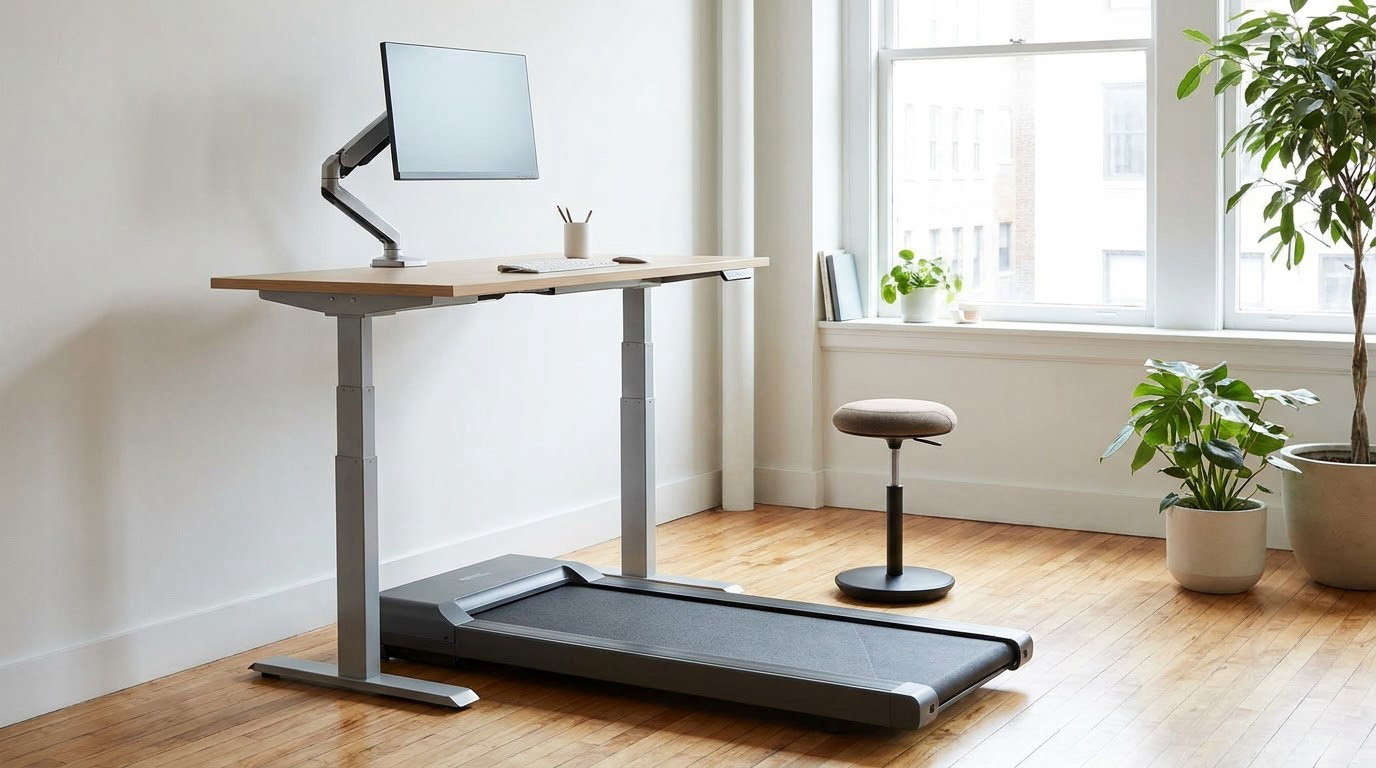
Active workstation options explained in plain terms: a sit-stand desk, a treadmill or under-desk bike, an elliptical, or active seating built to keep you moving while you work. The right one depends less on the equipment list than on your floor space, your task, and how often it will actually get used.
Most desks solve a problem almost nobody has. They optimise one posture and then leave you locked into it for eight hours. An active workstation replaces that single position with several, and the choice you make affects your floors, your neighbours and your focus as much as your back.
Updated for 2026, this guide walks through every major option type, what each one is really like to use, and who each one suits.
Table of Contents
- What Is an Active Workstation?
- How Each Type of Active Workstation Works
- Which Active Workstation Is Best for Your Workplace?
- How Often Should You Use an Active Workstation?
- How to Set Up and Adjust an Active Workstation Safely
- What to Do During Short Sitting or Standing Breaks
- Frequently Asked Questions
- Is a standing desk the same as an active workstation?
- Can an active workstation help with back discomfort?
- Are treadmill desks suitable for all office workers?
- How much space does a walking or treadmill desk need?
- What should an employer provide for a shared or hybrid workplace?
- Should an active workstation be used for an entire shift?
- Where to Start With an Active Workstation
What Is an Active Workstation?
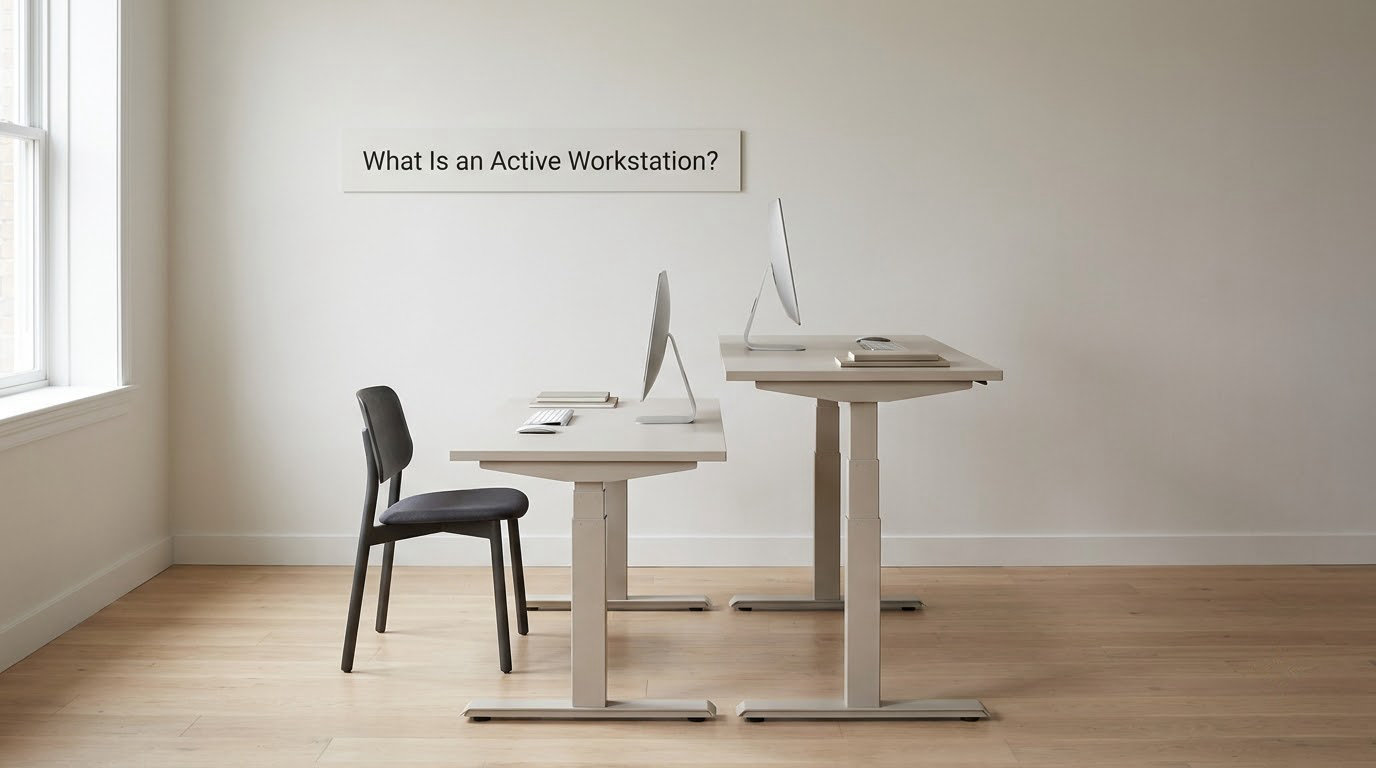
An active workstation is a desk-level setup that lets you move while you work instead of holding one fixed seated posture for hours. The main options are sit-stand and height-adjustable desks, treadmill desks and under-desk treadmills, cycling desks and under-desk pedals, elliptical workstations, and active seating such as balance stools and wobble chairs.
Standing on its own sits at one end of that range. A sit-stand desk swaps between two heights, which changes the load on your legs and back but keeps you in the same spot on the same task. Walking and pedalling add actual movement, so they raise energy use further and work your cardiovascular system lightly rather than statically.
The wider framing matters more than the equipment. Workplaces are built around sustained sitting, and workplace health research has put the average office worker at roughly 82 percent of the working day seated. Pilot studies of sit-stand provision have reported daily sitting cut by as much as around 143 minutes.
Guidance from the Mayo Clinic frames the goal as keeping total sitting under about three to four hours a day. That is a ceiling, not a quota, and it applies to a working day in total rather than to any single workstation. Occupational health guidance is fairly consistent on the point that variety of position beats any one “correct” posture.
A word of caution on framing: active workstations are comfort and long-term-health tools, not treatments. Nothing here is medical advice, and anyone with pain, balance difficulties, pregnancy, or recovery from injury should get individual guidance from a clinician or a qualified occupational therapist before changing how they work.
Active Workstation Options Explained
Six families cover almost everything on the market, and they differ along four dimensions that decide whether a setup works in your space.
The first is movement type. Sit-stand desks give you two fixed positions, walking and pedalling machines add rhythmic motion, elliptical units add a low-impact stride, and active seating adds continuous postural shifting while your hands stay on a normal desk.
The second is floor space. A sit-stand converter needs desk surface. A treadmill desk or a desk bike needs clear floor underneath plus room at the front to get on and off. An elliptical needs floor but no front clearance to step over.
The third is noise, which is the constraint most often missed. Balance stools are silent. Ellipticals are quiet. Desk bikes are quiet. Treadmills run a continuous motor and belt noise that travels, and in an open-plan office it carries.
The fourth is how much attention the equipment takes. Walking and pedalling divide your attention in a way that a standing desk does not, which matters enormously if your day is spent on precision tasks.
How Each Type of Active Workstation Works
Each option trades something. Here is how the six main types actually work, what they are good at, and where they disappoint.
Sit-stand and height-adjustable desks
A height-adjustable desk raises and lowers the whole work surface, so you alternate between seated and standing work at the same station. Range typically spans seated height up to around standing height with the elbow near 90 degrees.
This is the baseline active workstation option and the one most offices start with. Dual-motor frames lift more weight and stay stable with two monitors on them, and memory presets matter more than people expect once a desk becomes a habit.
The limitation is that it changes posture without adding movement. Standing still for four hours produces its own aches in the feet and lower back, which is why an anti-fatigue mat matters if you will be standing for long stretches. A converter that sits on top of an existing desk is the cheap way to try the idea before committing to a full desk.
Treadmill desks and under-desk treadmills
A treadmill desk is a purpose-built frame with the machine built in and its own controls. An under-desk treadmill slides under a height-adjustable desk and pairs with whatever desk you already own, which is why most home setups go this way.
This is the highest-energy option of the group. Office treadmills usually top out around 4 km/h, which is a slow walk rather than a workout, and belt width is the specification people get wrong. A belt around 20 inches wide has become the practical standard for walking while working, because narrower belts make balance harder.
Users on Reddit’s treadmill communities report the motor hum and belt noise as the thing that decides whether the machine survives in a shared room, and several debate whether to run it continuously or let it idle into sleep mode between sessions. In a home office the constraint is usually floor depth and desk clearance instead.
The honest drawback is attention. One user described walking as “hard to do smoothly for a designer,” and that matches the general pattern: walking suits calls, email, reading and administrative work, and suits precision work badly.
Cycling desks, desk bikes and under-desk pedals
A cycling desk puts a recumbent or upright bike under the work surface, with a fixed desk over it. Under-desk pedals are the smallest version: two small pedals that clamp or sit under an existing desk.
Cycling is lower impact than walking, quieter in a shared space, and easier to do in a small footprint because you are not walking forward into a wall. One Reddit cyclist described an electric sit-stand desk with a saddle chair and alternating between the two, which “works wonders” — that pairing is common among people with a long cycling history.
The volume figures are the surprising part. A bike-desk user on r/bicycling reported riding somewhere between 50 and 80 km across a workday, which is far more than most people assume is possible while typing. Others on the same thread found it gets tedious over long sessions, which is the honest counterpoint: high volume is achievable, sustaining it is not for everyone.
Pedal-style under-desk units trade away volume entirely. They are essentially a movement cue rather than an exercise machine, and the people who keep them tend to be the ones using them in short bursts.
Elliptical workstations and balance boards
An elliptical workstation uses a pedal mechanism with a forward-and-sideways path rather than a circular one, so your feet move without the machine rocking your hips. Balance boards are the other low-tech option: a tilting platform you stand on that shifts your weight continuously.
Both are quiet, compact and low intensity. A balance board fits under an existing desk in about the space of a large book and needs nothing else, which makes it the easiest first purchase for anyone in a small home office. Ellipticals sit between pedals and a desk bike on effort.
What you get is posture variation rather than exercise. What you give up is measurable output, so neither belongs in a plan that is trying to raise daily step counts.
Active seating: balance stools, wobble chairs and saddle seats
Active seating replaces a fixed office chair with something that moves under you. A balance stool has a rounded or narrow base that tips when you shift. A wobble chair has a flexible stem or ball base. A saddle seat is a low stool with no back, which forces an upright, slightly forward-working posture.
The core idea is that your core muscles keep making small corrections, which means you never hold one posture for a whole shift. Wobble chairs are the most commonly reviewed because the mechanism is simple and the effect is immediate.
What to know is that these are desk-height tools. They work alongside a sit-stand desk, not instead of one, and they are not a substitute for lumbar support if you have a history of back problems. Balance stools also have a real safety learning curve — the first few minutes are harder than they look.
Rolling or perching options — a rolling stool or a perching stool you perch on half-sitting — sit in the same family as active seating. They let you move at seated tasks such as typing, drawing or editing, where a full standing desk is more than you need. Like active seating, they work as a complement to a height-adjustable desk rather than a replacement for one, and perching especially needs a foot ring or mat under the feet.
Compact standing aids that finish the setup
These are the low-cost additions that decide whether standing time feels good: anti-fatigue mats with bevelled edges that encourage micro-movements, foot rockers and foot swings for movement while seated, monitor arms so the screen stays at eye level as the desk changes height, and keyboard trays that keep elbows near 90 degrees at both heights.
Wrist support and a properly sized mouse matter more once you are standing, because a fixed keyboard position that worked while seated will not work at standing height. A timer or standing reminder app is useful early on and becomes noise later.
| Option | Movement it allows | Best setting | Main advantage | Limitation and implementation note |
|---|---|---|---|---|
| Sit-stand and height-adjustable desk | Two fixed positions, seated or standing | Almost any workspace, including shared floors | Silent, universally familiar, easiest to adopt | Adds no movement; needs an anti-fatigue mat for long standing |
| Treadmill desk or under-desk treadmill | Continuous walking, typically up to around 4 km/h | Home offices and single occupant rooms | Highest energy use of any option | Noisiest, needs large floor clearance, divides attention |
| Cycling desk or desk bike | Continuous pedalling, low impact | Home offices, quieter shared floors | Quiet for its output, small footprint | Separates you from drawers and filing; tedious over long sessions |
| Under-desk pedal unit | Short bursts of pedalling | Any desk with clearance below | Fits under a modesty panel, low cost | Little measurable energy benefit; a movement cue more than exercise |
| Elliptical workstation or balance board | Low-impact stride or constant weight shift | Shared floors and small home offices | Quiet, compact, no attention cost | Posture variation only, no real exercise output |
| Active seating and perching stools | Continuous postural shifting while seated | Desks and drawing or editing stations | Silent, no floor space needed | Works beside a sit-stand desk, not instead of one |
Which Active Workstation Is Best for Your Workplace?
Match the equipment to the room, not to a ranking. The same sit-stand desk is a good fit in one space and a mistake in another.
For a quiet individual office, a full height-adjustable desk plus a mat and a foot rocker covers most needs at modest cost, and it is the setup most people should start with. Add a pedal or bike unit later if you want more.
For an open-plan floor, treadmills are the hardest sell. They are the loudest and they need the most front clearance. Desk bikes, ellipticals, balance stools and foot rockers all fit shared space far better, and under-desk pedal units are the only ones that can live under a desk with a modesty panel in front of it.
For a hot-desking or hybrid office, anything that must be unplugged and put away is a liability. Per-seat equipment needs a documented process for cleaning and returning it, otherwise it disappears into a cupboard within a fortnight. Shared equipment also needs to work for people of different heights without a fussy adjustment ritual, which favours wide-range sit-stand desks and simple pedal units over anything with a bespoke setup.
For a small home office, floor space usually decides it. Measure the footprint with a tape before buying anything with a belt or pedals, and check the desk’s stated lifting capacity if you plan to add a machine underneath. A folding under-desk treadmill that stores upright solves more problems than its specifications suggest.
Accessibility deserves its own line in any procurement process. Stable access, an adjustable range that suits different users, and equipment that does not exclude colleagues with mobility needs should be weighed alongside comfort, and that evaluation is usually better done with an occupational health adviser than from a spec sheet.
How Often Should You Use an Active Workstation?
Regular position changes matter more than any particular total, and standing all day is not the goal. A setup that alternates sitting, standing and moving across a day is doing its job; one where someone stands motionless for a full shift is not.
The 20-8-2 pattern is the best-known shorthand: roughly 20 minutes of sitting, 8 minutes of standing, 2 minutes of movement, repeated through the working day. Treat it as a prompt rather than a schedule, because the value comes from the variety, not from hitting the numbers.
Adaptation matters too. Sit-stand desks are usually comfortable within a few days because they are just two positions. A treadmill or bike takes noticeably longer to get used to, and most people report the first week as an adjustment to concentrating at all. Equipment that is still novel in week three tends to be abandoned by week eight.
What the research says about energy expenditure
Standing is barely different from sitting in energy terms. The Mayo Clinic figures used in non-exercise activity thermogenesis (NEAT) work put standing at roughly 16.7 percent above resting. Walking while working is in a different category entirely: about 139.7 percent above resting at 1 mph, 210.5 percent at 2 mph and 319.9 percent at 3 mph.
That gap is why treadmills and bikes show results that a sit-stand desk cannot, and it is also why some fitness comparisons of cycling against walking at the top end are not meaningful — a person on a desk bike is going nowhere near the output of a fast walking desk.
On cognitive and typing performance, the evidence is more mixed. A randomised comparison of rest, cycling and treadmill workstations found differences between the conditions rather than a clean win for movement, and the practical takeaway is that the right mode depends on the task. Save the walking desk for the calls, and do the detailed work sitting or standing still.
How to Set Up and Adjust an Active Workstation Safely
Set the desk up once, properly, and most safety and comfort problems disappear. Work through this checklist when the equipment arrives, and follow the manufacturer’s instructions for anything not covered here.
- Confirm the desk’s rated lifting capacity covers your monitors, arm and any equipment mounted underneath. Most people underestimate this until a lifting column binds halfway up.
- Set seated height first, with feet flat and elbows near 90 degrees. Add or remove the desk risers until the forearms are roughly level.
- Set standing height next, with the screen top at or just below eye level and elbows still near 90 degrees. A monitor arm makes this adjustment fast.
- Position the screen roughly an arm’s length away, centred, with the top of the display at eye level or slightly below.
- Place the keyboard and mouse so your wrists stay neutral in both positions. A keyboard tray set too deep is a common cause of shoulder ache on a new standing setup.
- Check stability before every use. Sit-stand desks should not rock or wobble at standing height, and any machine underneath should be fully locked before you climb on it.
- Clear the floor. Treadmills and ellipticals need clearance in front for mounting and dismounting, and a trailing cable across a walkway is a trip hazard for everyone nearby.
- Route and secure cables, then check that the movement range of the desk or machine cannot catch a cable, a mat or a chair castor.
- Add an anti-fatigue mat before any long standing stretch. Bare hard flooring is the most common reason people abandon standing desks.
- Brief colleagues on mounting, dismounting and stopping the equipment, and keep the manufacturer’s instructions with the workstation rather than in a drawer.
What to Do During Short Sitting or Standing Breaks
Short breaks are where most of the benefit sits, and none of them need equipment. A two-minute break every half hour is more useful than one long walk at lunch.
Simple options: walk to the printer or the far end of the floor and back, take the stairs instead of the lift, do ten calf raises or a wall push-up, stand up and reach overhead for thirty seconds, or refit your chair and screen properly before sitting down again. Walking meetings are the version that gets compliance from people who find scheduled breaks annoying.
Whatever you pick, vary it. The point is breaking up a long uninterrupted block, not completing a workout, and repeating the same three stretches every afternoon does less than changing the movement each time.
If you have persistent pain, balance or mobility difficulties, are pregnant, or are recovering from an injury or surgery, get individual advice from a doctor, physiotherapist or occupational therapist before taking on a movement-based option. They can tell you which modes are appropriate for you and which to avoid, and that is worth far more than anything in this guide.
Frequently Asked Questions
Is a standing desk the same as an active workstation?
Not quite. A sit-stand desk is one type of active workstation, but it only offers two positions and adds no movement beyond changing height. Treadmill desks, under-desk bikes, ellipticals, pedal units and active seating produce continuous motion while you work. Many people own a sit-stand desk and treat it as an active workstation, then wonder why standing still for hours feels uncomfortable.
Can an active workstation help with back discomfort?
Moving between positions can reduce the load from one long static posture, which many people find more comfortable over a day. It is not a treatment for back pain, and it will not resolve structural causes. If your discomfort is persistent, worsening, or travels down a leg, see a clinician rather than changing your desk and waiting. Some movement equipment also aggravates hip or knee problems in people who already have them.
Are treadmill desks suitable for all office workers?
No. Walking divides attention, which makes treadmill desks a poor match for precise, detail-heavy or creative work where you need a steady hand and a steady eye. They suit calls, email, reading and administrative tasks. Balance and mobility issues can also make them harder to mount and dismount safely. A sit-stand desk plus a foot rocker is the safer default for someone who spends the day on close work.
How much space does a walking or treadmill desk need?
More than most people expect. You need the machine’s full footprint plus clear floor in front to step on and off, roughly a metre at the front, and enough width for a chair or stool beside you. An under-desk unit needs its clearance measured with the desk fully lowered, not raised. Before buying in a small room, tape the footprint on the floor and check the desk’s stated lifting capacity.
What should an employer provide for a shared or hybrid workplace?
Prioritise access over ownership. Shared floors do best with height-adjustable desks at a wide range, quiet equipment such as desk bikes, ellipticals, foot rockers and anti-fatigue mats, and any per-seat unit needs a cleaning and return process. Treadmills are usually the hardest to place on an open floor because of noise and clearance. For hybrid teams, publish a simple booking system and a short safety brief.
Should an active workstation be used for an entire shift?
No. Alternation is the goal, and standing motionless for a full shift creates its own problems in the feet, ankles and lower back. Most guidance suggests breaking up long sitting regularly, with the Mayo Clinic putting total daily sitting at under roughly three to four hours. Treat a 20-8-2 style pattern as a prompt, and add an anti-fatigue mat for longer standing stretches.
Where to Start With an Active Workstation
Start with a height-adjustable desk plus a mat and a foot rocker, then add movement only where your task and your floor space support it.
Before anyone buys, spend a week watching how the work actually happens: how long people sit, which tasks are done on calls, which need a steady hand, where the noise floor is, and what gets in the way of a machine under a desk. That observation is worth more than any spec sheet.
Then trial more than one type if you can, even briefly, rather than rolling one out to everyone. Involve the people who will use the equipment and an occupational health or safety professional before it scales.
Finally, measure what happened: comfort reports, how often the equipment actually gets used, and whether work output held steady. Active workstation options explained clearly at the start only matter if the right one ends up in the right place.