
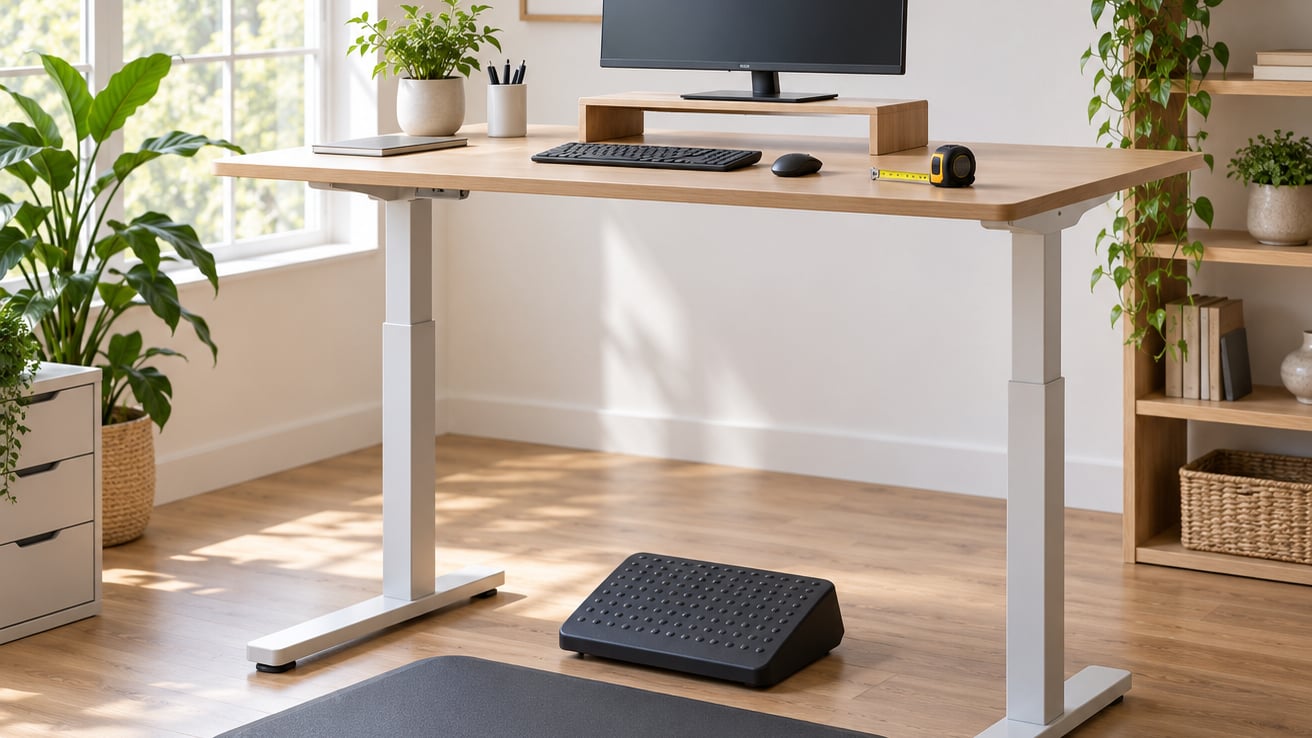
Using a standing desk correctly means setting the work surface so your elbows sit at roughly 90 degrees, placing the monitor at or just below eye level about an arm’s length away, holding a neutral posture with relaxed shoulders and unlocked knees, and switching between sitting and standing every 30 to 60 minutes rather than standing all day. It takes about 20 minutes to set up properly, and the difference shows up within your first week.
Most complaints I hear about standing desks come down to a desk set by eye rather than by measurement, or a monitor left flat on the surface. Both are quick to fix. This guide walks through the whole setup, the posture to aim for, and the signs that mean you should stop and reassess.
What You Need
Before you touch the controls, gather what the setup actually depends on:
- The desk itself, with its range and weight limits, plus the manufacturer’s instructions for locking and adjusting it.
- A monitor on a riser, stand or arm — not sitting flat on the work surface.
- An external keyboard and mouse if you work on a laptop, so the screen and keyboard stop fighting each other.
- A tape measure for the floor-to-elbow measurement below.
- Foot support — a footrest, step stool or anti-fatigue mat.
- A chair that fits you, for the sitting half of the cycle. Our guide on how to adjust an office chair correctly, step by step covers the sitting position in detail.
Your height, arm length and proportions decide the numbers, so no universal setting will be right for everyone. If your workplace offers an ergonomic assessment, get it before you buy anything or move equipment.
Step-by-Step
Set the Desk at Your Standing Height
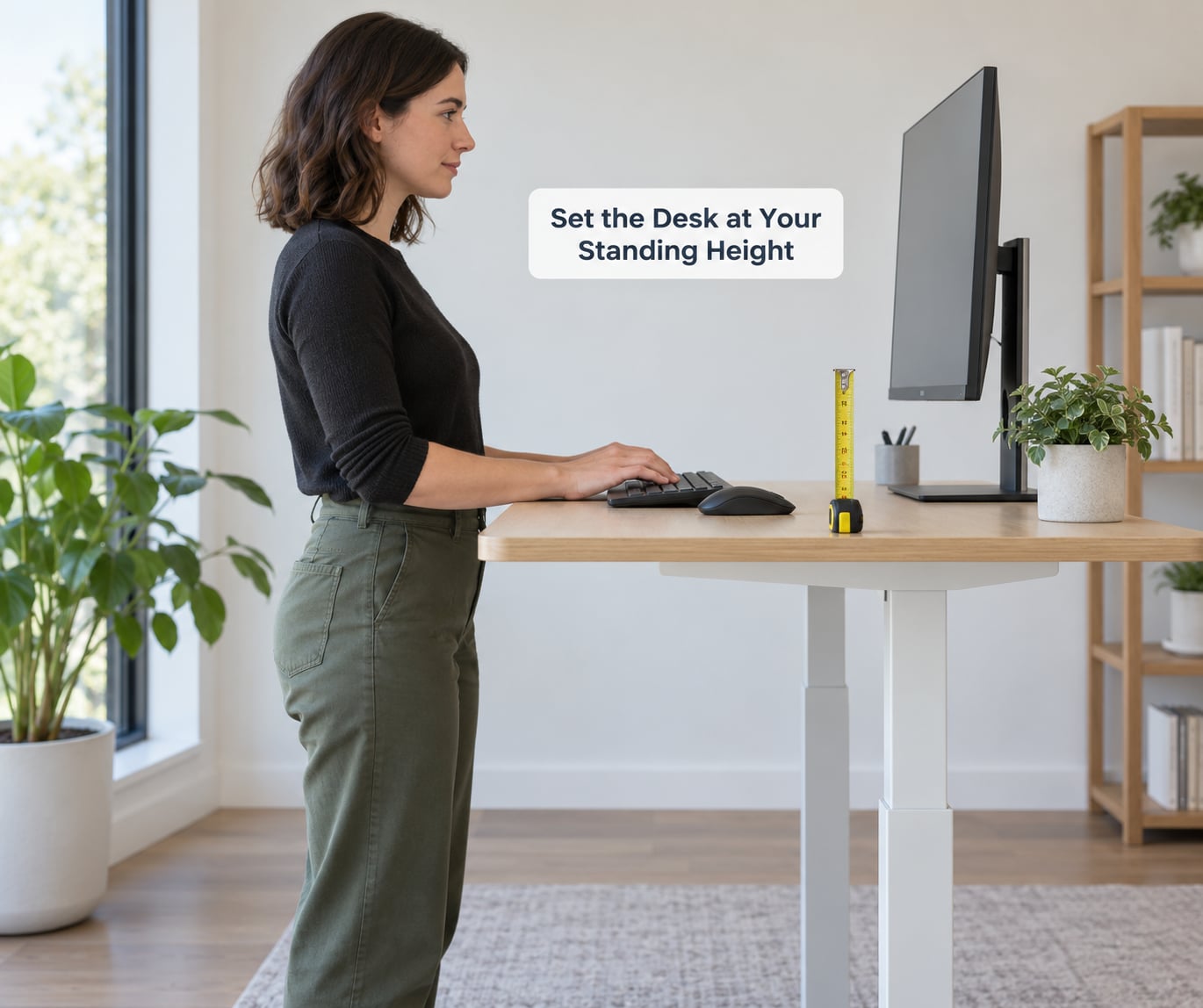
Measure the distance from the floor to your elbow while standing tall with relaxed arms, then set the work surface to about that height. Expect most people to land somewhere between 38 and 46 inches, but your own measurement is the only one that counts.
Read the manual first and clear any locks or anti-collision settings before adjusting. Move in one smooth pass rather than stopping halfway, and clear the space under the desk so nothing catches the frame.
How to check it worked: type for a minute. Your forearms should rest level with the surface, shoulders down, wrists straight rather than bent upward. If your shoulders lift toward your ears, the desk is too high. If your elbows splay out and your back rounds, it is too low.
Stop and adjust if you feel pinching in the wrists or a dull ache building in the shoulders within the first ten minutes. Our setup walkthrough on how to set up your desk to prevent back pain covers the seated position in more depth.
Position Your Monitor and Input Devices
Centre the monitor directly in front of you, not off to one side. The top of the screen should sit at or slightly below eye level so your neck stays neutral instead of tipping back, and tilt it so it faces you directly.
Keep the viewing distance around an arm’s length, roughly 15 to 30 inches. Far enough that you are not leaning in, close enough that you are not straining.
Pull the keyboard and mouse close to the same edge as you would when seated. You want your elbows near your body with forearms roughly parallel to the floor. Anything that makes you reach forward or lift a shoulder will catch up with you by mid-afternoon.
On a laptop, add a laptop stand so the screen reaches the right height and let the external keyboard do the typing. Laptops alone force a compromise between screen and hand position, and the screen always loses.
Check Your Standing Posture
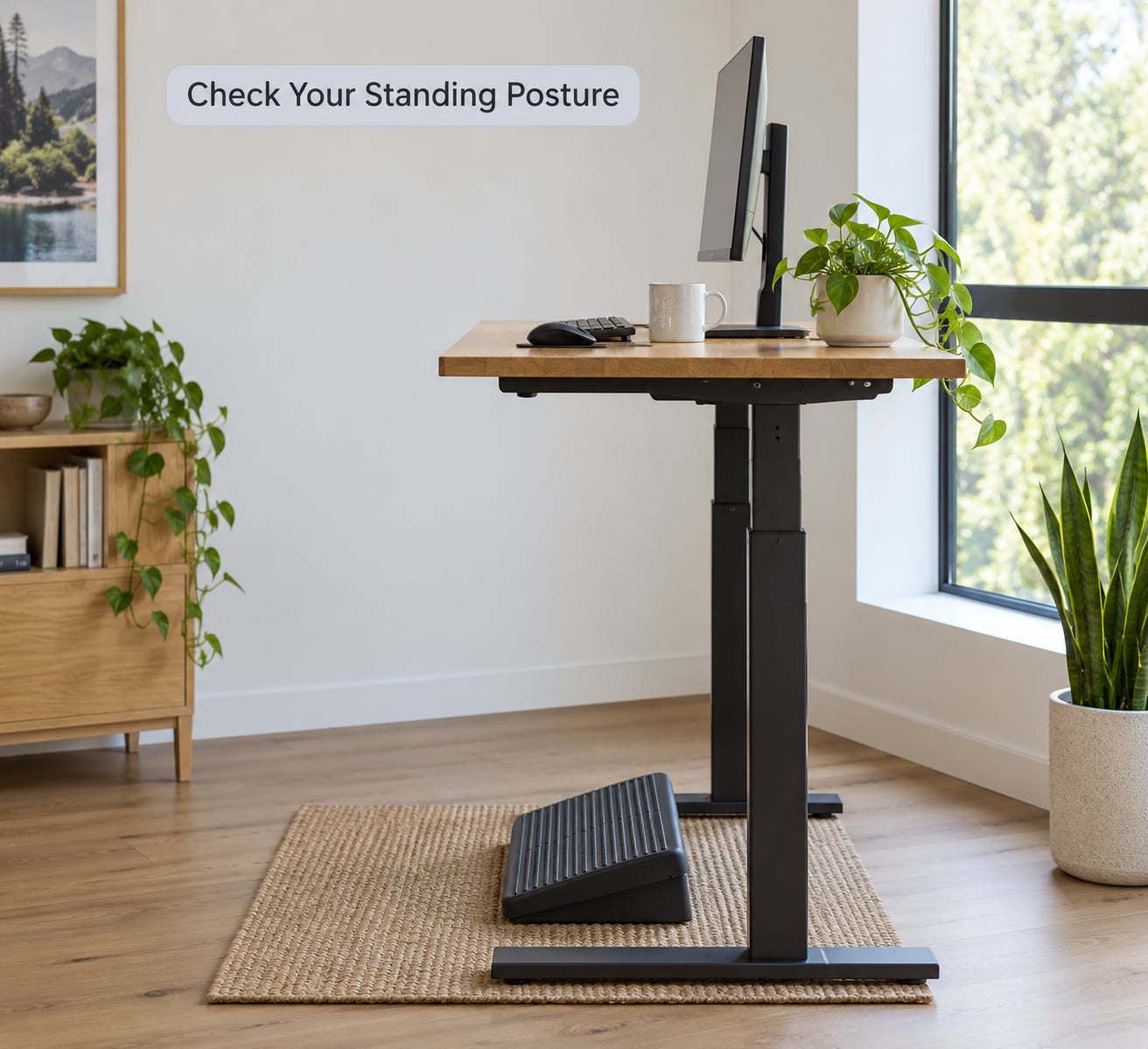
Weight should sit through both feet, about shoulder-width apart, with a soft bend in the knees. Locked knees shift load into the lower back, and standing on one leg tips the pelvis and produces the same problem a few inches higher up.
Keep the spine in its natural curves — not arched, not slumped. Let your arms hang or rest lightly on the surface rather than bracing on the desk edge.
How to tell the height is wrong: fatigue in the feet, low back or shoulders that grows steadily within 30 minutes, or a constant urge to shift and lean. Temporary tiredness in the first few days is normal. Pain that sharpens or builds the whole time you are standing is not.
Use a Sit-Stand Cycle Instead of Standing All Day
Position changes are what deliver the benefit, not any single posture. Standing motionless for six hours is its own problem — pressure builds in the feet and legs, and the lower back carries the load the whole time.
Start by alternating every 30 to 60 minutes: sit for the concentrated work, stand for calls, reading and email. Adjust the pattern to what your tasks and your body tolerate. Some people do well with 15 minutes standing and 45 seated; others prefer even blocks.
If nothing reminds you, set a timer or use a stand-up reminder app. The habit that works is the one that happens without you deciding on it each hour.
Keep Your Work Within Easy Reach
Put what you use constantly inside a comfortable forearm’s reach from your body. A water glass, notebook and phone belong at the edge of the desk, not on a shelf behind you.
For paperwork, use a document stand next to the monitor rather than laying sheets flat and bending over them. Where something genuinely lives out of reach — a stapler, a rarely used file — leaving it there adds a few steps each day, and steps count.
The thing to avoid is repeated twisting: turning back and forth between screen, keyboard and materials all morning. If a task forces that, change where things sit before you change how you sit.
Take Movement Breaks
Short movement beats long sessions at a stretch break. Through the work period:
- Shift your weight from foot to foot every few minutes.
- Rise onto your toes for 10 to 15 calf raises, then lower slowly.
- Walk a few minutes each hour — around the room, or a short walk on calls.
- Roll the shoulders, open the hips, and turn the head side to side.
- Give your eyes a rest every 20 minutes by looking at something roughly 20 feet away.
Walking in place while you work is the easiest of these to forget, but it keeps the ankles and calves moving through a long call. Our comparison of sit-stand desks versus standing desk mats covers the accessories that make standing hours easier.
Temporary fatigue in the feet that clears when you sit or walk is expected early on. Persistent pain, numbness, swelling that does not settle, or dizziness are different — stop using the desk in that position and get advice.
Recheck the Setup as Conditions Change
The height that worked in March will not necessarily work in November. Re-measure after a change of task, a new pair of shoes, a different floor covering, a moved monitor or an adjusted chair.
Watch for the small drifts: the monitor creeps to one side, a stack of files takes over the keyboard area, a footrest ends up in a cupboard. Ten seconds of adjustment is cheaper than an afternoon of neck ache.
Know When to Ask for an Ergonomic Assessment
Most workplaces have someone to ask — an ergonomics specialist, an occupational health provider, or facilities. They can assess your actual workstation and often have loan equipment such as monitor arms or footrests.
If you are pregnant, managing a vascular or orthopaedic condition, or recovering from an injury, ask a doctor or other qualified health professional before changing how long you stand. That is general guidance, not personal medical advice — your own clinician knows your history and can tell you what is appropriate for you.
Do the same if discomfort keeps returning despite a sensible setup. Nobody at work should talk you out of asking.
Common Mistakes
Most standing desk problems come from one of these:
- The desk is too high. You reach up and your shoulders creep toward your ears. Lower it a few inches and re-check your elbow angle.
- Standing with locked knees. Keep a soft bend and shift your weight; that movement is what keeps the load off the joints.
- Leaning on one hip or one hand. It feels casual and it skews your spine. Stand evenly on both feet and keep hands off the desk edge.
- The monitor is flat on the surface or too far away. Raise it to a stand or arm and bring it within an arm’s length, or your neck pays for the desk.
- Standing the whole day. Alternate on a schedule. Static standing for hours is harder on the body than sitting is.
- Ignoring foot support. A footrest or anti-fatigue mat takes pressure off the heels and lets you shift weight. On hard floors, feet and lower back suffer without it.
- Changing height in one go mid-task. Stand up fully, clear the space, then move. Jumping the desk up while carrying a mug of coffee is how people learn this the hard way.
Two habits cover most of the rest: keep a timer so position changes happen without remembering, and treat the first two weeks as an acclimatisation period rather than a test. Feet and calves will complain early on and settle down if you keep moving in them.
Frequently Asked Questions
How long should I stand at a standing desk?
Aim to change position every 30 to 60 minutes rather than standing for long stretches. In your first week, start with about 5 minutes of standing per hour, add 5 minutes in week two, and reach around 15 minutes per hour from week three. Most people settle at half a standing day. Nobody needs to stand for a full eight hours to benefit, and standing all day can cause its own foot, leg and back problems.
Should I use a chair even with a standing desk?
Yes, and a chair fitted to you is the point. A sit-stand desk is only useful if both positions work well, and the seated position is often where you do your most focused work. Adjust the chair so your feet are supported and your elbows sit near 90 degrees, the same as your standing setup. Treat the chair as half of the workstation rather than something the desk replaced.
Do I need a footrest or anti-fatigue mat?
Not always, but they help many people. A footrest or step stool lifts one foot slightly so your weight shifts naturally and short users can reach the correct desk height. An anti-fatigue mat cushions the heels and gives your feet somewhere to move, which matters on hard floors or during long standing blocks. Try a plain floor for a week first, then add one if your feet and lower back complain by the afternoon.
How high should my standing desk be?
Measure from the floor to your elbow while standing tall with your arms relaxed, and set the work surface close to that height. Most adults land between 38 and 46 inches, but your arm length is what counts, not your height on a chart. Check the result by typing for a minute: forearms level with the surface, shoulders down, wrists straight. Re-measure whenever your setup or your footwear changes.
What symptoms mean I should stop using a standing desk?
Stop and sit down if you develop pain that sharpens the whole time you are standing, numbness or tingling in your hands or feet, or swelling in the feet and ankles that does not settle after you sit. Dizziness and headache while standing also warrant a break and reassessment. Temporary tiredness in the first days is normal and settles, but persistent pain is not something to work through. If it continues, ask a doctor or other qualified health professional for advice specific to you.
Conclusion
Start with the one measurement: floor to elbow, then set the surface there and type until your shoulders drop. Raise the monitor to eye level and pull the keyboard close. From there, alternate sitting and standing every half hour or so and move during each standing block. If discomfort keeps coming back, ask your workplace about an ergonomic assessment, and ask your own clinician if you have a medical reason to be careful.