
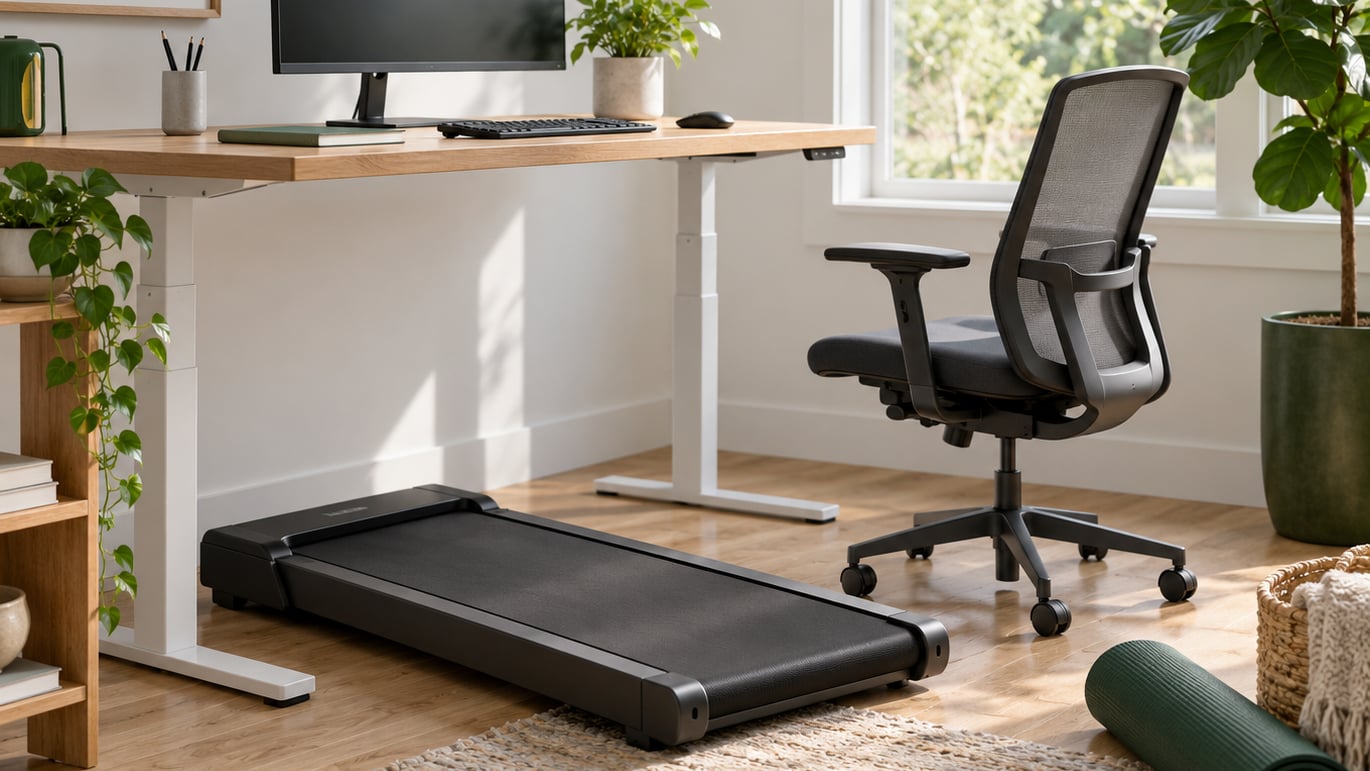
A treadmill desk is a low, compact treadmill that slides under a height-adjustable desk so you can walk at a slow pace while you work. The treadmill desk pros and cons come down to one simple trade: you gain a few thousand steps a day and lose some typing accuracy, some quiet, and a fair bit of floor space. Most owners settle on the same compromise, walking through calls and email and sitting down for detail work.
Whether that trade is worth it depends less on the machine and more on your job, your room and your habits. This guide walks through both sides honestly, including the parts that only show up a year later.
Reviewed and updated October 2026.
Table of Contents
- Treadmill Desk Pros and Cons at a Glance
- What Is a Treadmill Desk?
- Treadmill Desk Pros and Cons: The Potential Benefits
- Treadmill Desk Limitations and Possible Drawbacks
- Is a Treadmill Desk Safe and Comfortable?
- Treadmill Desk vs Other Office Movement Options
- How to Choose the Right Treadmill Desk
- Treadmill Desk Cost and Workplace Considerations
- Frequently Asked Questions
- What to Do First
Treadmill Desk Pros and Cons at a Glance
The short answer: a treadmill desk reliably adds movement to a working day, and it reliably costs you precision, quiet and space. Here is the split before the detail.
| Pros of a treadmill desk | Cons of a treadmill desk |
|---|---|
| Turns ordinary work time into steps, without a separate workout window | Typing and mouse accuracy drop noticeably at walking pace |
| Relieves the stiffness and afternoon slump that come from hours of sitting | Motor noise carries through shared walls and open-plan floors |
| Leg movement supports blood flow through the legs and lower body | Needs a height-adjustable desk as well, so the outlay roughly doubles |
| Weather-proof: movement in January is the same as in July | Top speed of 3 to 4 mph keeps it firmly in the fitness-out-of-reach zone |
| Works best on calls, email, reading and review tasks | Hot, sweaty and distracting on camera during video meetings |
| Few adaptation headaches once you settle into a pace you can hold | Habit often fades after a few months if it is not tied to a fixed routine |
A treadmill desk suits people whose day is call, email and review heavy, who already own or will own a height-adjustable desk, and who live somewhere the motor noise will not cause trouble. It suits far less well anyone doing precision data entry, detailed design work or heavy typing all day, and it is no substitute for real fitness training.
What Is a Treadmill Desk?
A treadmill desk, also called a walking pad or an under-desk treadmill, is a compact belt unit built low enough to sit under a desk. You raise the desk to standing height, step onto the belt, and walk at roughly 1.0 to 2.5 mph while typing, reading or taking a call. The three terms mean the same product and are used interchangeably, although “walking pad” tends to describe the flatter, more compact designs.
Unlike a full treadmill, an under-desk machine is built for slow, steady walking rather than intervals or running. Most top out around 3 to 4 mph, which is a jog for anyone fit and simply out of reach for most people.
There are two families. Manual units hold whatever speed you dial in and need you to keep adjusting it yourself. Automatic units have sensors that bump the speed along when you walk faster and ease off when you slow down, which suits people whose attention is elsewhere. A third group folds flat for storage, which matters a lot in a small flat.
The key thing separating a treadmill desk from a sit-stand desk is that the desk only changes your height, while the treadmill adds actual movement. If your problem is shoulder and neck tension from hunching over a keyboard, the height change alone may solve it, and our guide on sit-stand desk vs standing desk mat is a better place to start.
Treadmill Desk Pros and Cons: The Potential Benefits
The case for walking while working rests on one idea: sitting for eight uninterrupted hours is hard on the body, and any movement you can fold into an existing habit is movement you will actually do. The evidence supports that idea more strongly for energy expenditure and step counts than for long-term health outcomes.
- Steps without a workout window. Long-term owners report the step total creeping up into the background without them planning it. Walking during a two-hour call block produces a session most people would otherwise skip, because there is no separate slot to protect.
- Less stiffness in the hips, ankles and lower back. Seated hours leave the hips and hamstrings shortened and the lower legs sluggish. Gentle walking keeps those joints moving through a range they never reach at a desk, and the effect shows up as less end-of-day stiffness.
- Leg circulation and blood flow. Calf muscles act as a pump when you walk. That matters most for anyone who spends hours seated, and it is the reason desk-based workers with circulation concerns are often pointed at walking rather than standing still.
- Energy and the afternoon dip. Many users describe walking through meetings as a way of clearing the post-lunch fog. The effect is real for some people and completely absent for others, which is worth knowing before you commit.
- Weather independence. Nothing about the machine cares what is outside. A bad-weather walk is the single most common reason people skip exercise, and a treadmill desk removes that excuse permanently.
- No time cost. The session is the working day you already had. There is no travel, no changing room and no extra hour in the evening, which is the difference between a habit that sticks and one that does not.
- A low barrier to real exercise later. Some users find that once they are moving during the day, they are more inclined to do something properly demanding in the evening. Treat this as a plausible side effect rather than a promise.
How Much Walking Is Enough?
Enough is whatever you can hold comfortably for an hour without your attention drifting. Working pace on most under-desk machines sits between 1.0 and 2.5 mph, which is a stroll for anyone who walks regularly. Trying to push toward the machine’s top speed while reading a document is how people end up with sore calves and a headache instead of extra steps.
Duration matters more than intensity here. Most owners who keep the habit do it in short blocks through the day rather than one long block, and the pattern that works best is rotating between sitting, standing and walking every 30 to 60 minutes. If you have a medical condition, are recovering from an injury, or have been told to limit your exertion, take the target to your doctor or a physiotherapist before you start, rather than using any number from an article, including this one.
Treadmill Desk Limitations and Possible Drawbacks
The downsides are more predictable than the benefits, and several of them show up late. These are the ones buyers most often report after the novelty wears off.
- Fine-motor accuracy takes a hit. Typing, spreadsheet work, data entry and precision mouse work all get worse while you walk. Most people solve this by sitting for those tasks rather than by walking faster.
- Noise is the most repeated complaint. Even machines advertised as quiet are audible in the next room and often through a shared floor. In an open-plan office the hum is background friction for colleagues; in an apartment it can be a real dispute with the downstairs neighbour, and creaking bearings tend to develop after months of use.
- Video calls get awkward. You cannot pace around while on camera, and you get warm in a way that shows. Plenty of owners simply stop taking video calls from the treadmill and use it for everything else.
- The real cost is roughly double the machine. A usable setup usually means the treadmill plus a height-adjustable desk, often plus a mat and repairs or parts over its life. Comparing machine prices between products is misleading because most of them assume you already own the desk.
- Floor space disappears. The unit plus the swinging arms of a lifting desk can eat a third of a small office, and the power cable becomes a trip hazard if it is not routed.
- It is not a fitness machine. Slow walking burns meaningfully fewer calories per hour than a brisk walk on an outdoor path. Someone expecting workout results will be disappointed.
- The habit can fade. The most common regret pattern is a machine used enthusiastically for two or three months and then pushed into a corner. Owner accounts on walking-pad forums split cleanly here: the ones who still use theirs pair walking with a fixed trigger, and the ones who stopped were trying to walk through everything.
- Fatigue late in the day. Walking in long unbroken blocks leaves some people flat by the afternoon, which is the opposite of what they wanted from it.
Is a Treadmill Desk Safe and Comfortable?
Used sensibly, a treadmill desk is a low-risk machine. Most of the discomfort people report comes from a poor setup rather than from walking itself, and it usually settles within a week or two.
- Start slow and build. Walk at a pace you can hold for several minutes without looking down, then add time before you add speed. Speed changes in small steps, because belt speed controls are not designed to be jumped between quickly.
- Wear shoes with a flat, grippy sole. Bare feet and loose slippers are the main slip risk. Keep shoelaces tied and nothing trailing near the belt.
- Set the desk height properly. Elbows near 90 degrees, wrists flat, screen high enough to look at without tipping your head forward. A walk-at-a-slanted-desk posture is worse than sitting, and our setup walkthrough on how to set up your desk to prevent back pain covers the same geometry for seated and standing work.
- Keep the safety key reachable. Every serious unit has one, and it stops the belt within seconds if you slip or fall.
- Route the cable. Tape or clip it to the desk leg so nobody walks into it.
Two issues get named in safety discussions and are worth explaining. Cybersickness is the nausea and dizziness some people feel when visual movement and walking happen at the same time, usually because the room is busy and the belt is fast. Stop walking, sit down, look at a fixed point and take a break; if it keeps happening, stop using the machine for work. Balance wobble in the first fortnight is normal and resolves, but repeated near-falls are a sign to slow down or step off.
Stop and speak to a doctor or a qualified physiotherapist before using one if you have a heart condition, a recent joint or back injury, are pregnant, or have been advised to limit physical exertion. Dizziness, chest pain or unusual shortness of breath while walking means stop immediately and get advice.
Treadmill Desk vs Other Office Movement Options
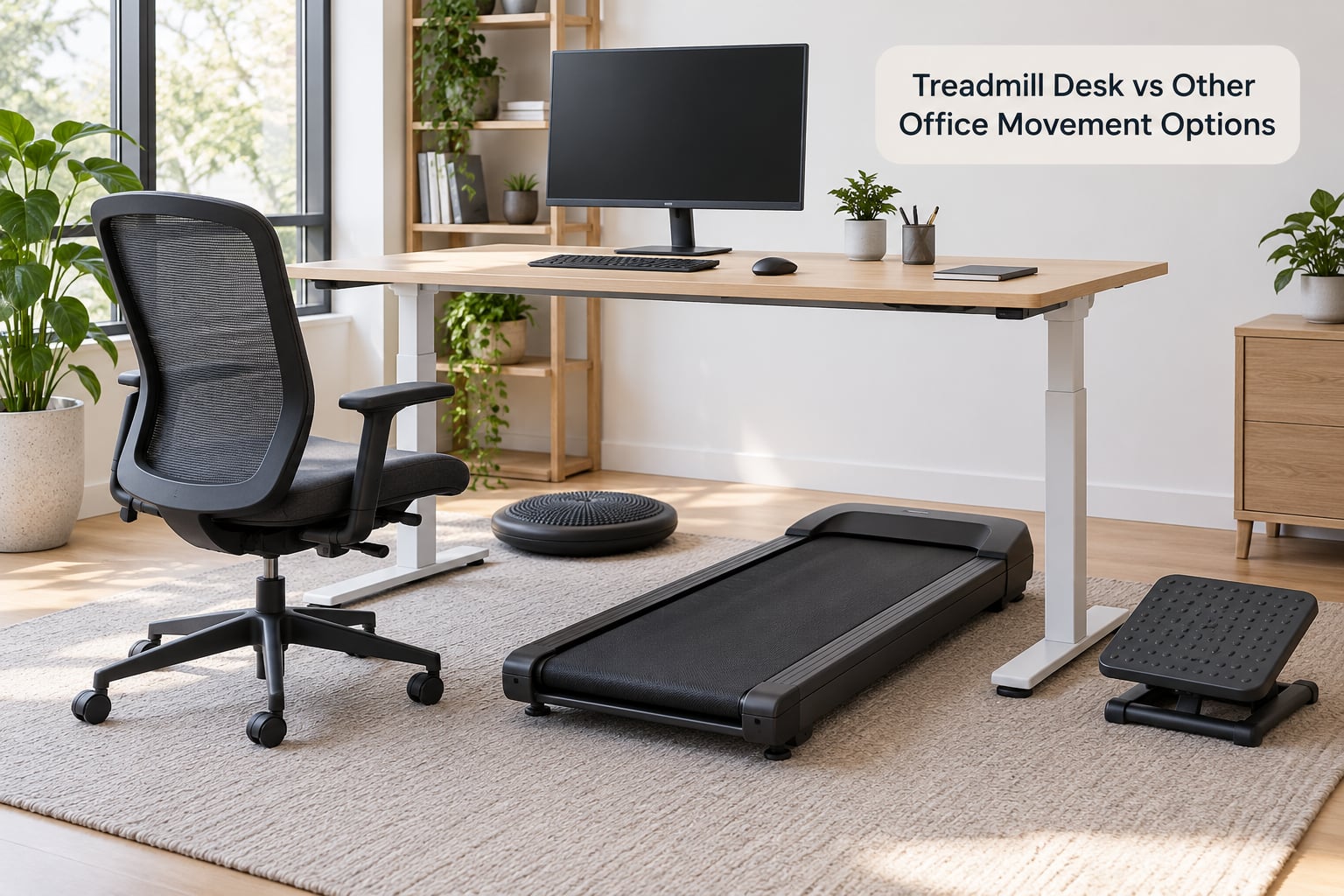
A treadmill desk is only the right answer for a particular kind of person and problem. These alternatives cover the other cases better in most offices.
| Option | What it is good for | Where it falls short |
|---|---|---|
| Treadmill desk | Accumulated steps, calls and email, all-day movement without changing clothes | Finest detail work, small rooms, noise-sensitive buildings, tight budgets |
| Sit-stand desk | Shoulder and neck relief, cheaper, fits almost any budget, quiet | Standing still is not exercise, and long static standing brings its own aches |
| Standing desk mat | Cheapest way to get movement variety, keeps an existing desk | Small movements only, needs an existing stable desk, easy to ignore |
| Bike desk or pedal exerciser | More energy per hour than walking, quiet, no belt to wear out | Harder to keep steady, knee and hip complaints, worse for reading posture |
| Scheduled walking breaks | Free, no equipment, keeps your focus work sharp | Depends on your employer or your own discipline, easy to skip |
| Walking meetings | Movement and social contact in the same block | Not possible for screen work, awkward with more than two people |
Our office ergonomics checklist for desk workers is a good way to work out whether the problem you are solving is height, movement or fatigue, because each one has a different answer.
How to Choose the Right Treadmill Desk
Work through this list before you buy anything, and the expensive mistakes largely disappear.
- Top speed. Around 2 mph minimum for usable walking, and anything above 3 mph is a bonus you will probably never use. Ignore listings that advertise a fast maximum speed as a feature for desk work.
- Low-speed control. Most trouble happens between 0.5 and 2 mph. Test how finely the speed adjusts, and prefer automatic sensors if you will be concentrating on something else.
- Deck size and maximum user weight. A longer, wider belt feels more stable and suits taller users. Check the stated weight limit against your own.
- Noise. Ask about decibel figures in a real room, not a lab, and read long-term owner reviews specifically for bearing noise after a year of use.
- Footprint and foldability. Measure the desk swing, the unit and the walking area together. If it cannot fold flat, decide where it will live.
- Desk compatibility. Confirm the unit fits under your desk at standing height with clearance for your knees, and whether you already own a lifting desk.
- Safety features. Emergency stop or safety key, and a stable side or hand rail if you want support.
- Warranty and parts. Motors, controllers and belts are the failure points. A longer warranty and replaceable belt matter more than extra speed settings.
- Shared workspaces. A per-user machine in an office needs a sign-up policy. Anything cheaper tends to end up abandoned in a corner.
Treadmill Desk Cost and Workplace Considerations
The honest way to think about the money is as a total setup, not a machine. The treadmills themselves sit in a wide range, from simple flat belts to sturdier frames with automatic speed control, and the gap between the cheapest and the most expensive is mostly motor quality, deck size and warranty rather than speed.
The costs people forget are the ones that decide the purchase:
- A height-adjustable desk, if you do not already have one. This usually exceeds the machine cost and is the line item that turns an easy yes into a hard no.
- A mat or anti-fatigue surface, and cable routing for a safe floor.
- Belts, lubricant and motor service over the life of the unit, which add up faster than most buyers expect.
- Noise remediation in a shared building, which is hard to price because it can mean anything from rubber feet to a negotiation with a neighbour.
For an employer, the questions shift from price to policy. Who is allowed to use it, how is it booked, who maintains it, and what is the cleaning and safety procedure? Treadmill desks tend to land first in roles where the person is reading and monitoring for long stretches rather than typing all day, such as imaging, call centre or dispatch work, because the task tolerates movement. Institutions move slowly here, partly because the noise makes shared offices difficult and partly because a shared machine needs an owner who does not exist on an org chart.
Before buying for a team, try the free options for a month: standing desk rotations, walking one meeting a day, and taking a phone call outside. If the behaviour does not survive that, a machine will not fix it.
Frequently Asked Questions
Are there any downsides to a treadmill desk?
Yes, and they are predictable. Typing and mouse accuracy drop at walking pace, the motor hum carries into adjacent rooms and through shared floors, video calls get warm and distracting, and you need a height-adjustable desk as well, so the total outlay is usually well above the machine price. Most owners also find the habit fades after a few months if walking is not tied to a fixed routine like meetings.
How fast should I walk on a treadmill desk while working?
Roughly 1.0 to 2.5 mph, which is a slow, steady walk you can hold while reading. Try to stay under the machine’s top speed of around 3 to 4 mph, because pushing fast while working causes calf soreness and drifting attention rather than extra benefit. Most people do best by walking at a comfortable pace for blocks of 30 to 60 minutes, then sitting for detail work.
How long should I walk on an under desk treadmill per day?
There is no single right number, and anyone promising one is overselling. Start with 10 to 15 minutes in one block and build from there, since the first week or two usually brings balance wobble and some foot soreness. Owners who keep the habit tend to accumulate movement across the day rather than doing one long session, and they rotate between sitting, standing and walking.
Can using a treadmill desk help with weight loss?
Only modestly, and it depends on your baseline. Slow desk walking burns far fewer calories per hour than a brisk outdoor walk, so the benefit comes mainly from adding steps to a day that had few, not from burning a workout’s worth of energy. It is a useful support for an already active routine. If weight loss is the main goal, speak to a doctor or registered dietitian rather than relying on a desk machine alone.
Are treadmill desks noisy in an office?
They are audible. Even units described as quiet register at a level that colleagues notice in an open-plan room, and in apartments the sound carries through the floor to the neighbour below. Creaking bearings are a common complaint after months of use. If you are below someone, above someone or surrounded by desks, weigh that carefully before buying, and ask for realistic noise reports from long-term owners rather than lab figures.
Is walking while working good for you?
For most desk workers it is useful as a way of adding movement, circulation and steps to hours that would otherwise be spent sitting. It works best for calls, email, reading and review tasks, and least well for precise typing and detailed analysis, where many people slow down or sit. Treat it as a movement tool rather than a workout, and stop if you feel dizzy, unwell or unusually short of breath.
What to Do First
Before spending anything, walk for twenty minutes on a normal day and notice how your typing and reading hold up. If your work survives that and your building will tolerate the noise, start at a slow pace for short blocks, adjust the desk height until your elbows and wrists are level, and sit back down for anything that needs precision. Give it two weeks of regular use, and compare it honestly against a sit-stand desk and a mat. If the habit has not formed by then, buy the cheaper option and keep the money.