
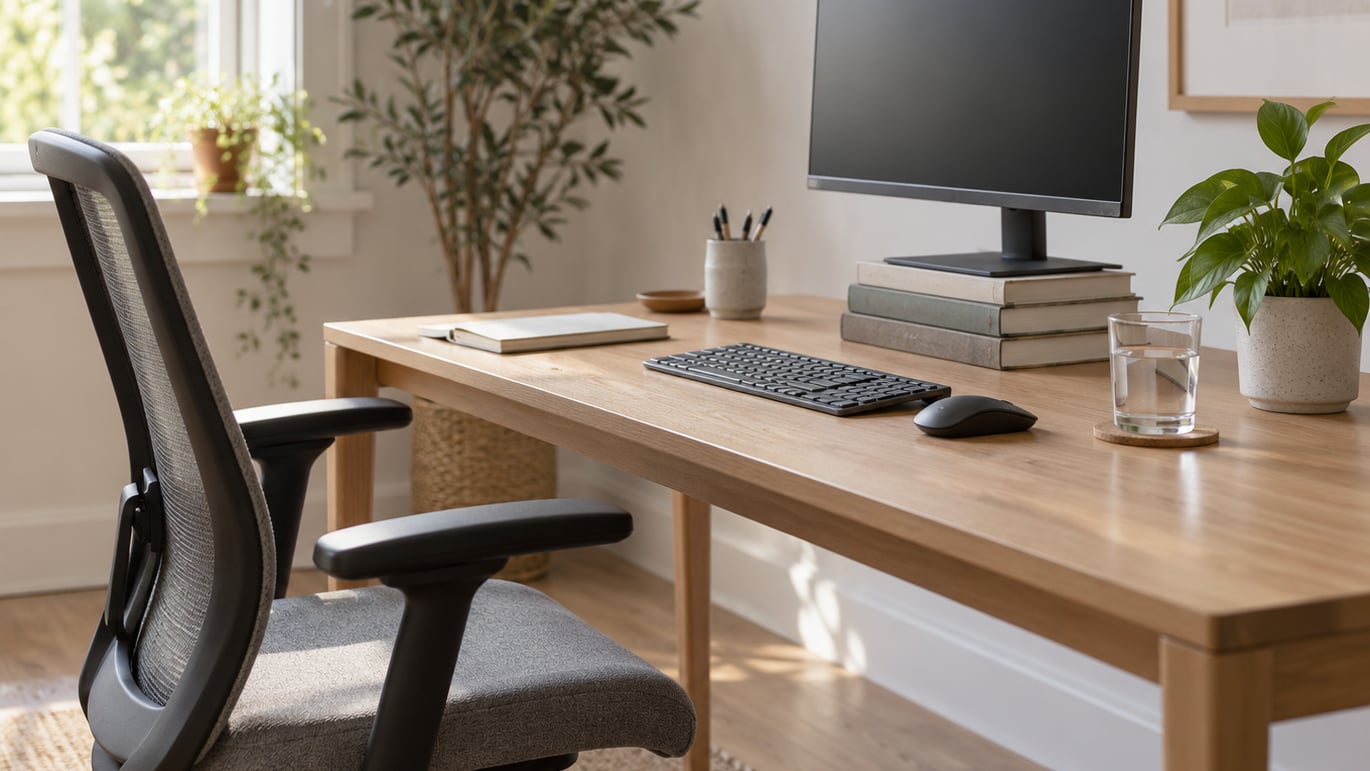
To stay healthy working a desk job, break up long periods of sitting with regular movement, set your workstation up so your neck, back and wrists stay neutral, and protect your energy with real breaks, water and a lunch away from the screen. None of that needs a standing desk or a gym membership. It needs a chair you can adjust, a timer, and a few habits you repeat on the same days at the same hours.
The honest version: a healthy desk routine is boring and specific. Stand up before you need to, drink water before coffee, walk for ten minutes at lunch. People who stick with it tend to feel better in two to three weeks, mostly because they stop ending the day with a stiff neck and a headache.
Table of Contents
What You Need
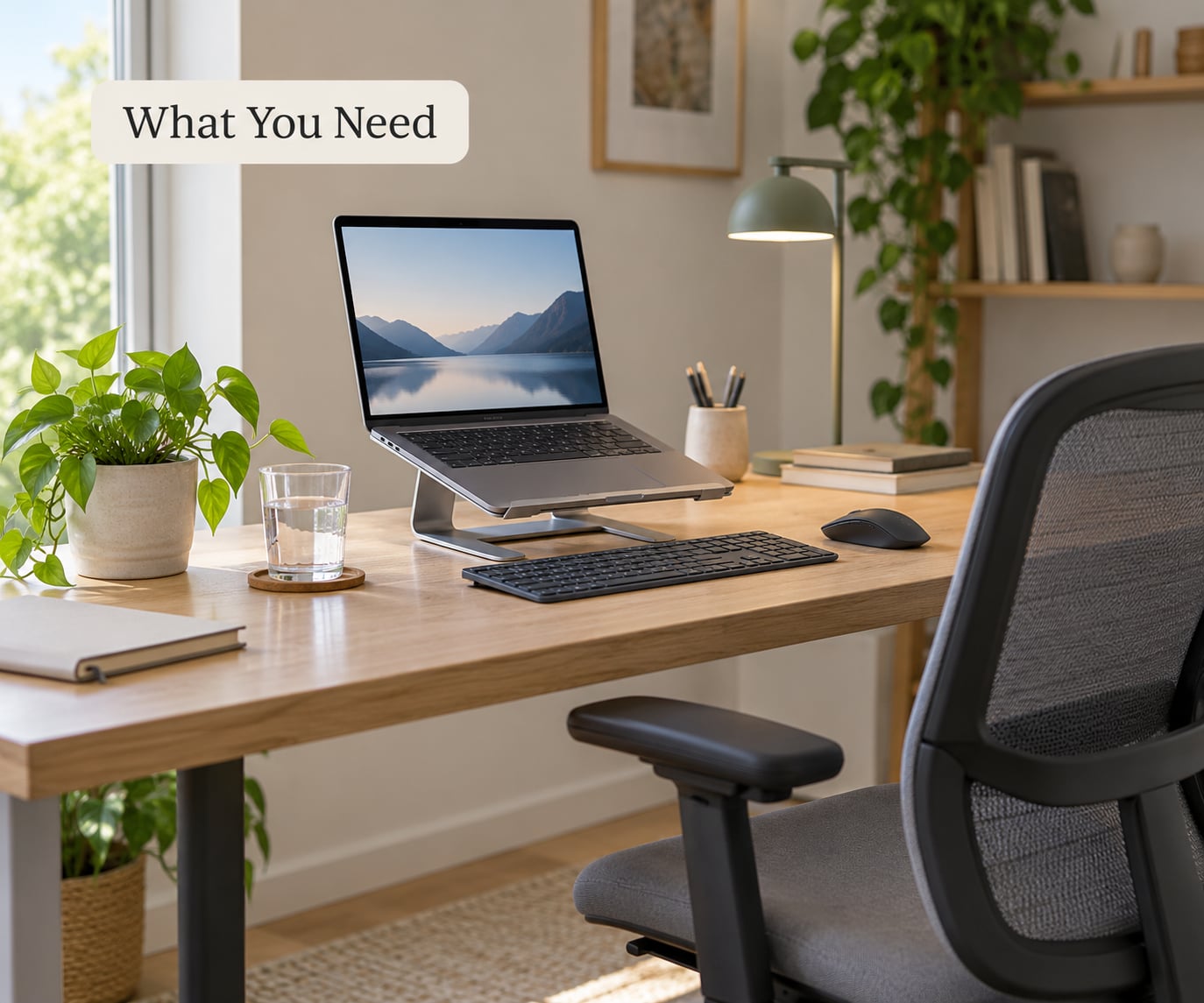
The equipment list is shorter than most guides make it sound. Work through these five items and you have everything the routine in this article needs.
- A chair that supports your lower back — a task chair with an adjustable lumbar support, or a firm cushion rolled to fit the curve of your back. A dining chair plus a cushion works fine.
- Your screen raised to eye level — a laptop stand, a stack of sturdy books, or a monitor riser. A laptop used flat is the single most common cause of neck ache in home offices.
- An external keyboard and mouse if you work on a laptop for more than an hour at a stretch. Raising the screen without them pushes your wrists up into an awkward bend.
- A timer or break reminder — a phone alarm, a free break reminder app, or a paper timer. You cannot fix what you do not notice.
- A water source within arm’s reach and a lunch you can take away from your screen.
Two things are free but worth knowing. First, you can ask your employer for an ergonomic assessment or for equipment reimbursement; it is a normal request, not a favour. Second, if your setup is fine but your body still hurts, the problem is usually duration, not gear. Our office ergonomics checklist for desk workers covers the details that get skipped, and our guide to how to set up your desk to prevent back pain goes deeper on seat height and monitor distance.
Step-by-Step: How to Stay Healthy Working a Desk Job
Step 1: Set Up a Comfortable Workstation
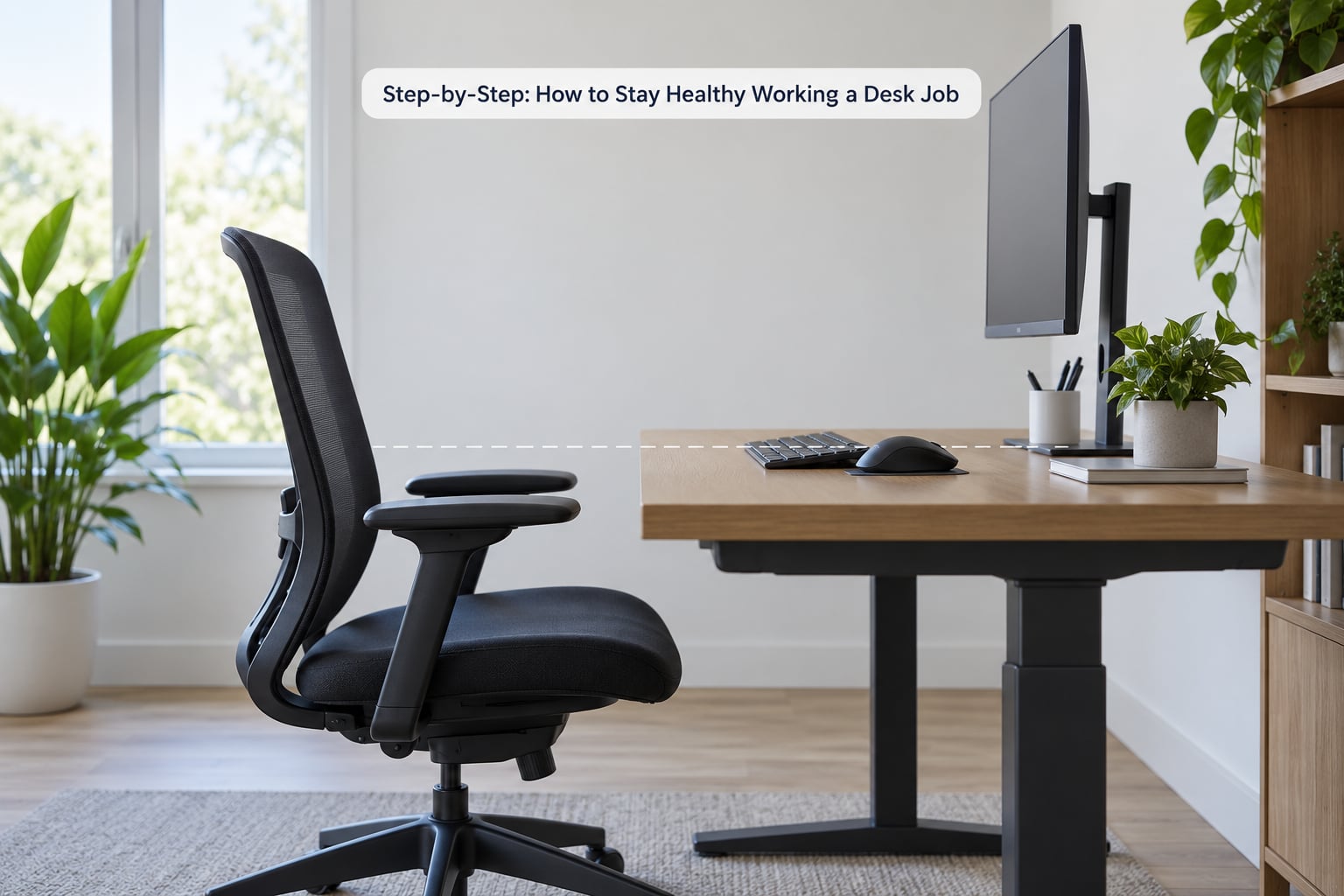
Neutral posture is the goal, not a perfect pose. Put the top of your screen at eye level or slightly below, set your elbows at roughly 90 to 100 degrees with forearms parallel to the floor, and keep your feet flat on the floor or on a footrest. Adjust the chair first, then change the screen, then the keyboard and mouse.
Here is a two-minute comfort check. Sit the way you normally sit, then press your lower back gently into the chair back. If you can feel the lumbar curve being filled, that is your starting position. Now check whether your shoulders have crept up toward your ears — if so, the keyboard is too high, and the fix is a footrest or a lower desk, not your shoulders.
How to tell it worked: you can work a full focus block without shifting position every few minutes, and your neck feels neutral rather than braced. If you have an existing injury, an older chair, or a desk shared with other people, ask a physiotherapist or an occupational therapist to set it up with you rather than guessing.
Step 2: Start the Day With Steady Energy
How you start sets the tone for the energy curve later. Drink a glass of water before your first coffee, eat a breakfast with protein and fibre — eggs and toast, yoghurt and fruit, oats with nuts, anything that will not leave you hungry by eleven — and get a few minutes of outdoor daylight early, ideally within an hour of waking.
The last one matters more than it sounds. Morning daylight exposure helps set your sleep timing later that night, and a desk job gives you very little of it. If you are fully remote and your commute disappeared, build a deliberate replacement: a ten-minute walk before you start, or a lunch walk at the same clock time every day.
How to tell it worked: you reach the mid-morning dip without a second coffee, and you did not spend the first twenty minutes of the day shuffling between tabs instead of starting.
Step 3: Take Regular Movement Breaks
Get up every 30 to 60 minutes. Most workdays are measured in hours, but the useful unit is minutes without movement — long stretches of sitting are what your body objects to, not the total number of hours you are at the desk. Breaks do not have to be long. Two minutes of walking beats nothing, and ten minutes of walking beats two.
A structure that works well is the 20-8-2 rule: roughly 20 minutes seated with focused work, 8 minutes standing or moving, and 2 minutes of stretching. It is not magic and it is not a medical protocol — it is just a simple way to break the day into segments you will actually follow. Plenty of desk workers adopt it by rule rather than willpower: the desk goes up for any call or video meeting, and admin work happens standing.
For the two minutes, pick from drills that need no equipment:
- Seated leg lifts, 10 seconds each leg
- Upper back stretch with arms crossed behind your chair, 15 seconds
- Chest opener with hands clasped behind your back, 30 seconds
- Seated spinal twist, 30 seconds per side
- Calf raises at your desk, 15 to 20 reps
- Chair squats, 10 reps, standing beside your seat
Variety beats intensity here. Alternating between walking, standing, stretching and light strength work gives your hips, calves, shoulders and wrists something to respond to. For hips specifically, our desk exercises for stiff hips are worth bookmarking — that area tightens faster than anything else in a seated day.
How to tell it worked: you took at least three movement breaks, you can get up without feeling like your legs forgot how, and you went through the day without the 3pm restlessness that usually sends you to the snack drawer.
Step 4: Protect Your Eyes and Reduce Screen Strain
Your eyes were built to change focus constantly, which is exactly what a monitor prevents. Use the 20-20-20 rule: every 20 minutes, look at something about 20 feet away for 20 seconds. Blink deliberately a few times during that look, since screen work cuts your blink rate and dry eyes are part of why your eyes feel gritty by mid-afternoon.
Place the screen roughly an arm’s length away, with the top at or just below eye level, and reduce brightness until the screen is roughly as bright as the room around it. A window behind you creates glare; a window beside you does not. If you can, use a larger display for long reading work rather than zooming a small one.
How to tell it worked: the 4pm headache is gone or noticeably reduced, and your eyes feel dry rather than sandy. Persistent blurring, double vision or headaches that survive the weekend are worth an optometrist visit, not another desk adjustment.
Step 5: Support Focus Without Sitting All Day
The mental half of the problem is real: long unbroken sitting drains concentration, and remote workers lose the incidental movement that a commute used to provide. Work in blocks — 45 to 60 minutes of single-task focus, then a short reset where you stand, walk, or refill your water. The break protects the focus block; it does not cost it.
Protect the break from your calendar, because a break that lives inside a meeting invite will always lose. If meetings keep overwriting lunch and movement time, say so with a reason attached rather than an apology: you are more reliable across the day if you take a fixed break at a fixed time. A manager who objects to two short walks a day is a workplace problem, and worth raising properly with HR.
For social movement, walking chats with a colleague count twice. Remote workers can pace during phone calls and take meetings standing up when it makes sense — a few people report that standing makes difficult conversations easier rather than harder.
How to tell it worked: your last two focus blocks were sharper than your first, and you did not need a screen-scroll to reset.
Step 6: Eat and Hydrate During the Workday
Eat lunch away from your screen. Physically going to a kitchen, a park or a bench is the point — you get movement, a break from screens, and a signal to your brain that the working day has a middle. Eating at the desk while scrolling is how a desk job quietly turns into extra calories on top of the calories you already needed less of.
Keep water visible. A smaller bottle you refill more often works better than a large one you forget about, and a mug of tea counts. Keep an easy snack within reach — fruit, nuts, yoghurt, crackers with hummus — so the 3pm slump does not send you to a vending machine. Limit caffeine in the second half of the day if it is costing you sleep.
Individual needs vary a lot. Anyone with a medical condition, a food allergy, a history of disordered eating, or a specific dietary requirement should get personal advice from a doctor or a registered dietitian rather than copying a generic plan. The same goes if you notice persistent fatigue, thirst or weight change that does not shift with these habits.
How to tell it worked: you sat down for lunch somewhere other than your desk, and you were not thinking about food by four o’clock.
Step 7: End the Day With Recovery Habits
The most common trap is a sedentary day followed by a sedentary evening. People sit for eight hours at work and then sit again for six, which is exactly the pattern that produces the accumulated neck, hip and lower back complaints that show up over months rather than one bad day.
A short shutdown routine works. Walk for ten or fifteen minutes once you stop. Write tomorrow’s first task down so the working day does not follow you into the evening in your head. Then stop — no work messages after a set time, and no laptop in bed. Consistent sleep timing does more for how you feel at a desk than any single stretch.
How to tell it worked: you fall asleep without rehearsing your to-do list, and your first meeting the next day does not feel like the one before it.
Common Mistakes
Most advice on how to stay healthy working a desk job fails on the same eight errors. Each one has a straightforward correction.
1. Buying the gear and keeping the habits. A sit-stand desk does nothing if you stand in it for an hour and a half and then sit for the next four. Fix the schedule first; buy second.
2. Saving every break for lunch. One 45-minute break at midday cannot undo four hours of stillness. Short, frequent movement is the point.
3. Raising a laptop and keeping the laptop keyboard. That combination forces your wrists upward while your neck reaches up to match. Add an external keyboard and mouse.
4. Standing all day instead of sitting all day. Standing is not free either. Swap positions through the day and use an antifatigue mat if your feet hurt, which is a common fix people find quickly.
5. Keeping good habits outside work and ignoring the desk hours. This is the ceiling effect. Plenty of people exercise four times a week, take the stairs and still feel the consequences of nine seated hours, because the desk hours are not offset by the evening ones.
6. Treating caffeine and sugar as the energy plan. A short lift becomes a crash, and the crash becomes another snack. Water, a real lunch and a walk usually beat the second coffee.
7. Waiting for pain to appear before changing anything. Stiffness after a long week is the early signal, not the point of no return. See the symptom fixes below.
8. Skipping recovery because the evening was already full. The ten-minute walk at the end of the day is what keeps the next day from starting stiff.
Here is the same list sorted by symptom, since most people arrive at this article because something already hurts.
- Stiff neck: screen too low or too far away. Raise it to eye level, move it an arm’s length out, and do upper back and chest opener stretches daily. Usually better within one to two weeks of correcting the setup.
- Lower back ache that builds up by Thursday: no lumbar support plus no movement breaks. Add lumbar support and break up sitting every 30 to 60 minutes. Days to a few weeks.
- Wrist and hand pain: keyboard too high, or a laptop used flat. Drop the elbows to 90 degrees, add an external keyboard, and keep your wrists neutral rather than bent up. Two to four weeks.
- Eye strain and late-day headaches: unbroken screen focus. Use 20-20-20, match screen brightness to the room, and fix glare. Same-day relief for most people.
- Afternoon slump: low lunch, no movement, caffeine rebound. Eat away from the desk, walk after eating, and move the second coffee earlier. Noticeable within a week.
- Slow weight gain: the combination of inactivity and desk eating. This is the slowest to turn around — expect months, not days, and pair it with the weekly activity below.
Maintenance tip for busy weeks: when the calendar wins, protect three things and let the rest slide. Water, a movement break every hour, and a ten-minute walk at the end of the day. Knowing how to stay healthy working a desk job is not about a flawless week — it is about which habits survive a bad one, and keeping those three stops you losing the whole routine.
Frequently Asked Questions
How long should you sit in front of a computer?
Try not to sit for more than 30 to 60 minutes at a stretch. Standing guidance is to change position every 30 minutes or so, and the useful target is minutes without movement rather than total hours. Most desk workers do well with a short break every half hour and a proper break from sitting every hour or two.
What is the 20-8-2 rule?
The 20-8-2 rule is a simple way to structure a working day: about 20 minutes sitting with focused work, 8 minutes standing or moving, and 2 minutes stretching. It is a practical habit rather than a medical standard. Many people adopt it by rule instead of willpower, raising the desk for every call and doing admin work standing.
How many hours of sitting is considered sedentary?
Sedentary behaviour is sitting time regardless of how you sit, and health guidance treats long unbroken stretches as the main problem rather than the daily total. Someone who sits nine hours with movement breaks every half hour is in a very different position from someone who sits nine hours without moving. Risk tracks break frequency more than total hours.
How can I exercise at my desk?
Use drills that need nothing but your chair: seated leg lifts for 10 seconds each leg, an upper back stretch for 15 seconds, a chest opener and a seated spinal twist for 30 seconds each, plus 15 to 20 calf raises and 10 chair squats. Two minutes of these between focus blocks beats one long stretch at the end of the day, and walking breaks add more than any single drill.
Is a standing desk actually good for you?
A sit-stand desk helps most when it is used to alternate positions, not to stand all day. Standing still for hours brings its own problems, including tired feet and a stiff lower back, so many people pair standing with an antifatigue mat. If your employer will not provide one, book your printer across the room and take one call standing each day.
What if my manager will not let me take breaks?
Reframe the request around output rather than comfort: short, scheduled movement breaks usually make the rest of the day more reliable, not less. Propose two fixed ten-minute blocks in the calendar and let them be seen, so nobody has to approve them individually. If breaks are genuinely blocked, that is a workplace health issue worth raising with HR rather than absorbing quietly.
Start With Three Habits, Not Ten
If you do nothing else this week, do these three: drink a glass of water before your first coffee, stand up and move for two minutes every half hour, and take a ten-minute walk away from your desk at lunch. Set them up at the start of the week, because that is when you stay healthy working a desk job most easily — the habit holds, and the rest of the list follows it.
Keep an eye on symptoms that do not shift. Pain that wakes you at night, numbness, weakness in a hand, or vision changes belong with a doctor, and a physiotherapist or optometrist can often solve a desk-setup problem in a single appointment. Outside those, weekly activity matters too: health guidance puts adults at 150 to 300 minutes of moderate activity a week plus muscle-strengthening work twice, which is easier to hit once your workday stops being eight unbroken hours of sitting.