
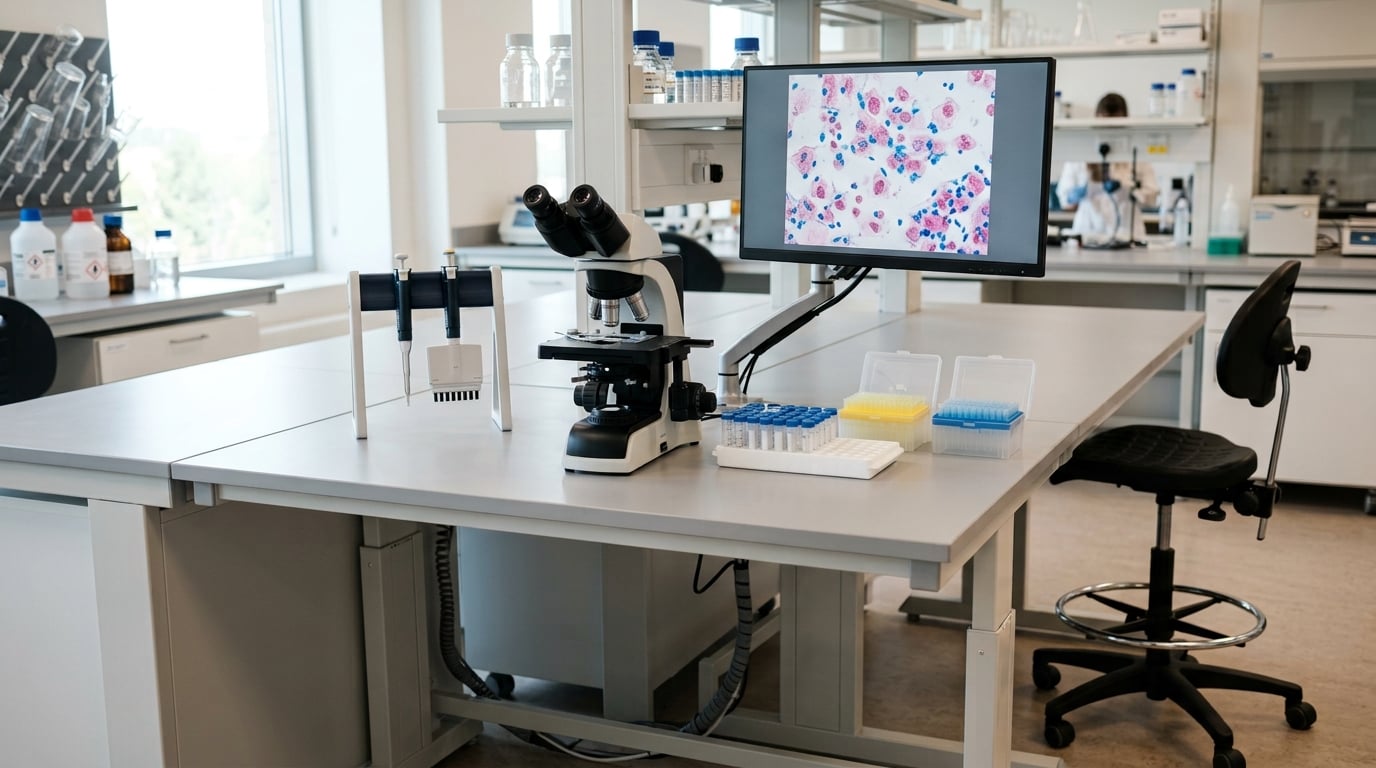
Ergonomics for lab workers is about one practical thing: matching the bench, the chair, the equipment and the work method to the person doing the task, so that hours of pipetting, microscopy and sample handling do not load the same muscles, tendons and joints for the whole shift. The biggest gains usually come from a few unglamorous changes — an adjustable stool, a bench at the right height, a task light, and breaks that break up the repetition. None of them require a capital project, and most can be done in a week.
Why bother? Because laboratory work stacks up small mechanical loads in a way that office work rarely does, and because a lab that strains its people also produces more errors, more rework and more staff turnover. If you have ever finished a shift at the hood with a burning shoulder or a numb thumb after four hours of pipetting, this guide is written for you.
Table of Contents
- What Is Ergonomics for Lab Workers?
- How Do Repetitive Tasks and Awkward Postures Cause Strain?
- How to Set Up a More Ergonomic Lab Bench
- What Are the Best Ergonomic Habits During Long Lab Sessions?
- How Can Labs Reduce Ergonomic Risks in Equipment and Workflows?
- How Do You Recognize and Report an Ergonomic Problem?
- How Do Managers Build an Ergonomics Program That Works?
- Frequently Asked Questions
- What is the most important ergonomic adjustment for a laboratory workstation?
- How often should lab workers change posture or take breaks?
- Are laboratory stools better than chairs for microscope work?
- Can an ergonomic assessment address repetitive pipetting injuries?
- What should a lab worker do if discomfort continues after adjusting the workstation?
- How can laboratories include ergonomic needs when purchasing new equipment?
- What to Do First
What Is Ergonomics for Lab Workers?
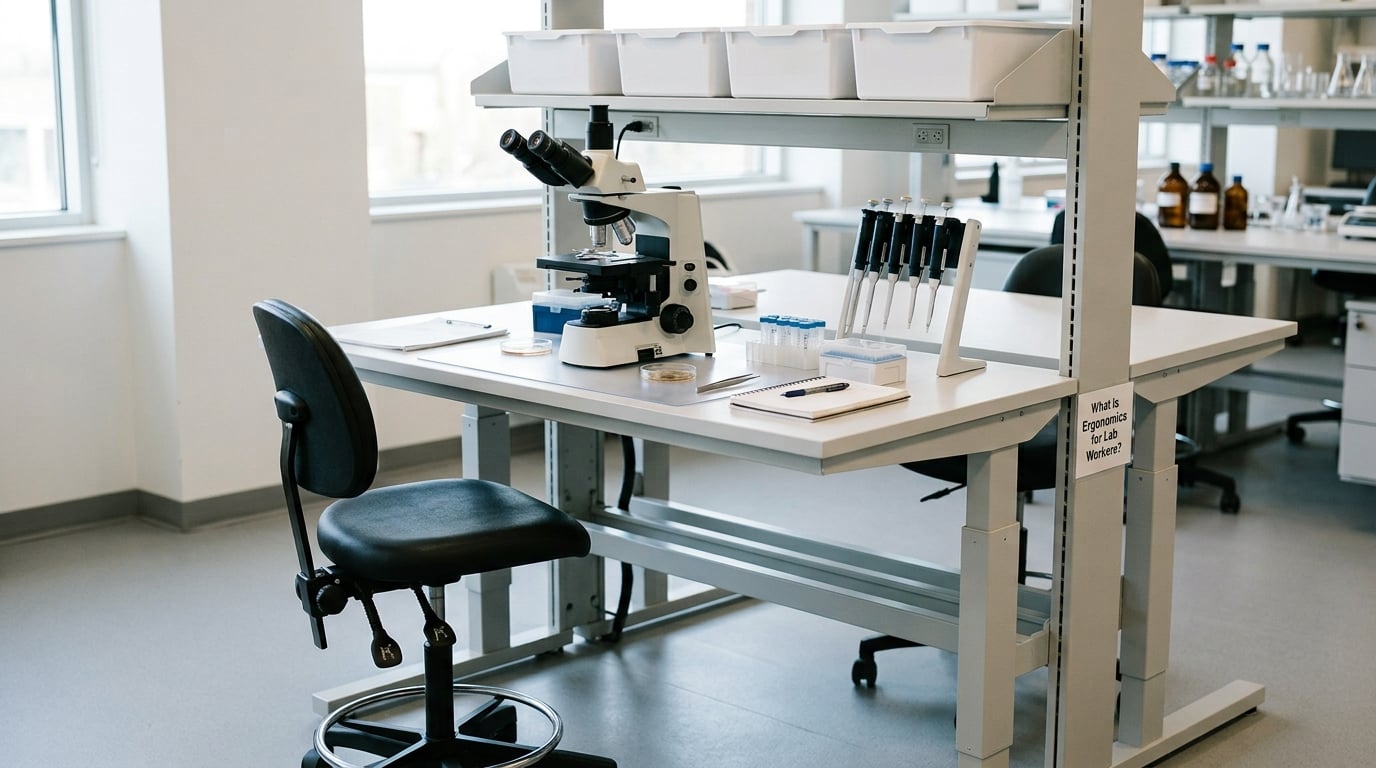
Laboratory ergonomics is the practice of designing benches, seating, equipment, lighting and work methods so technicians and scientists can do repetitive, precise laboratory work without straining their bodies. In practice it means adjusting the workstation to fit the person, instead of asking one person to fit a fixed bench for a whole career.
It helps to separate ergonomics from the other lab hazards people worry about. A chemical exposure, a biohazard or a radiation source is a hazard of the material you handle. Ergonomic risk comes from how you have to move while you handle it.
- Chemical and physical hazards are controlled with ventilation, containment, protective equipment and exposure limits.
- Biological hazards are controlled with containment, disinfection and handling protocols.
- Ergonomic hazards are controlled with workstation design, work method, task variety and rest.
The two sets overlap more than people expect. An awkward reach into a fume hood is a muscle problem, but leaning into the sash also puts your face nearer the airflow. Most programs treat ergonomics as its own workstream, run alongside the chemical hygiene plan rather than folded into it.
Musculoskeletal disorders, or MSDs, are the outcome people are trying to prevent. They cover everything from tendonitis in a pipetting thumb and carpal tunnel symptoms to neck, shoulder and lower back pain that starts as an ache and turns into a condition that limits what you can do at work.
How Do Repetitive Tasks and Awkward Postures Cause Strain?
Strain in a lab comes from repetition, static posture, force and pressure points, usually all at once. Repetition alone is not the villain — thousands of low-effort repetitions with full recovery between them are usually fine. The problem is repetition without recovery, held in one posture, for hours.
Static muscle work is the hidden one. Hold your arm out in front of you to reach a pipette rack for four minutes and the shoulder is working at maybe five percent of its capacity — but at five percent all day, with no rest, it fatigues just the same. Muscles that never get to fully relax accumulate tension and the tendons running through them stop recovering between actions.
Seven risk factors show up repeatedly in laboratory ergonomics assessments. They are worth knowing by name, because most reports sort findings into exactly these categories:
- Repetition — many identical motions in a short window, such as repeated pipetting strokes or plate transfers.
- Static posture — holding one position for more than a minute without movement or support.
- Force — gripping, pressing or twisting hard: opening a stuck cap, pushing a plunger through a viscous solution, forcing a drawer.
- Awkward posture — bent, twisted, reaching overhead or out to one side while the rest of the body is committed elsewhere.
- Contact stress — pressure from bench edges, chair rims, footrests and hard surfaces against the thighs, forearms, wrists or lower back.
- Vibration — hand-arm exposure from centrifuge handling, vortexing, power tools and shaker tables.
- Prolonged duration — any of the above sustained across a full shift, week after week, with no variation.
Visual fatigue belongs in the list too, even though the eyes are not muscles. Fine work at a bench narrows your focus, holds you very still, and often puts you in dim or glare-prone lighting, which is a recipe for headache and sore neck by itself.
| Common lab exposure | Body area that takes the load | Work condition that makes it worse |
|---|---|---|
| Sustained precision gripping | Thumb, fingers, wrist, forearm | Pipetting more than about four hours a day with a manual pipette |
| Static arm hold | Shoulder, upper back, neck | Reaching into a fume hood or working at the back of a bench |
| Forward-bent neck | Neck, upper back | Low or non-adjustable microscope, eyepieces at chest level |
| Prolonged standing | Lower back, knees, ankles, feet | Fixed-height bench with no foot support or ability to sit |
| Long sitting in one posture | Lower back, hips, hamstrings | Stool with no back support and no foot ring, six hours unbroken |
| Screen work beside a bench | Neck, shoulders, wrists | Monitor on the bench, angled down, with no arm support |
| Manual handling | Back, shoulders, wrists | Lifting racks, boxes and solvent jugs from low shelves or carts |
| Cold and glove-box work | All of the above, faster | Low temperatures stiffen muscles and reduce dexterity; gloves reduce grip |
Cold rooms deserve their own mention. Working near freezing, muscles stay tight and fine motor control degrades, so the same task quietly demands more effort. If you work in a cold room regularly, warmth is an ergonomic control, not a comfort extra.
How to Set Up a More Ergonomic Lab Bench
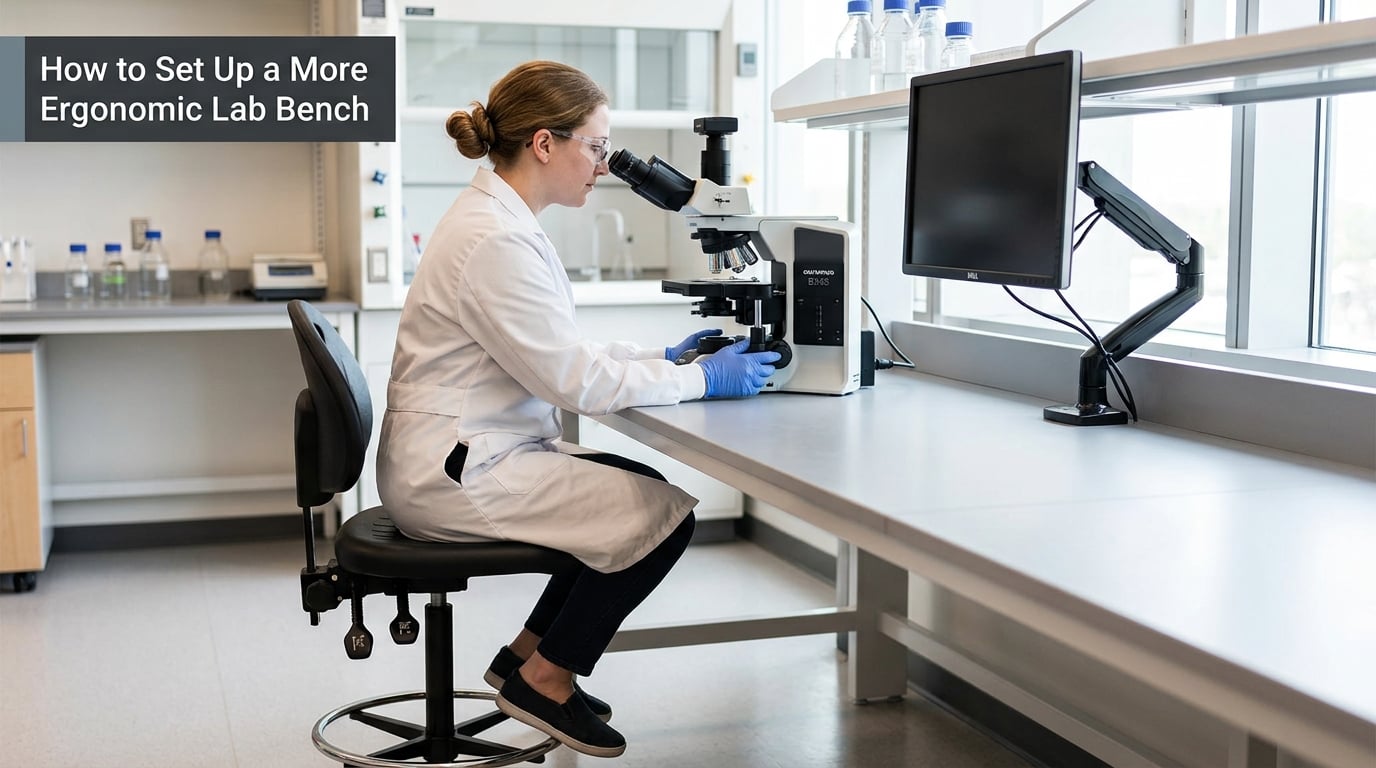
Start with bench height, then seating, then where your hands and eyes go. A standard bench at about 90 cm suits a standing worker of average height, but almost nobody sits comfortably at it, which is why so much bench work ends with a rounding back.
The most quoted starting point in laboratory ergonomics is the 90/90/90 rule: elbows, hips and knees each at roughly 90 degrees, with the forearms level or sloping slightly down. It is a starting position, not a rule you can be cited for violating — but if your elbows are at 120 degrees and you are hunched over a bench at 105 cm, you already know why your neck hurts.
Work through this in order:
- Set the bench for the task, not the room. Sitting work wants a bench low enough to clear your thighs, typically with the surface just below elbow height when you are seated. Standing work wants the bench at or slightly below elbow height so the shoulders stay down.
- Get a seat you can adjust. Height, and a backrest or a foot ring so your feet have somewhere to go. A backless stool works for short bursts, not for six hours.
- Put the frequent work in the primary reach zone. That is the area roughly in front of you between your elbow and shoulder height. Pipette tips, the rack you load every time, the tube rack you open most often — those belong there, not in the back corner.
- Center the microscope. Not angled toward the aisle. Set it directly in front of you, with the eyepieces at a height that lets you keep your neck neutral rather than looking down.
- Raise screens instead of bending toward them. A monitor arm or a riser that puts the top of the display near eye level saves more neck pain than almost anything else in the lab.
- Give the forearms somewhere to land. A bench edge at the right height acts as a forearm support. Many people round their shoulders because nothing holds their arms up except their own muscles.
- Add foot support for standing work. A foot rail or an anti-fatigue mat changes how you stand, and shifting weight between feet is a lot healthier than locking your knees in one position.
- Fix the lighting. General laboratory lighting around 500 lux, with 500 to 1000 lux at the task, a colour-rendering index of about 80, and a colour temperature near 4000 K. Position the light so it comes from behind or beside you, never straight into your eyes from the front.
- Watch the black countertop problem. Reading dark samples against a black bench in bright overhead light produces the eye fatigue that lab workers describe as a headache by mid-afternoon. A magnifier lamp helps more here than a new chair.
- Check the neutral position. Shoulders down, elbows close to the body, wrists straight rather than bent back, head balanced over the shoulders rather than pushed forward.
| Adjustment that usually helps | Adjustment that can compromise lab safety or ergonomics elsewhere |
|---|---|
| Putting tools and consumables in the front primary reach zone | Storing reagents at eye level, which invites reaching overhead and puts heavy glassware above shoulder height |
| Adjustable bench set to elbow height for the person using it | Chocks, boards or stacked boxes used to fake a height adjustment, which are unstable and a spill hazard |
| Feet on a foot ring or the floor with a mat | Feet dangling with nothing to reach, which loads the lower back |
| Sash at a height that keeps your face out of the airflow | Raising the sash to the full open position to reach in comfortably, which breaks containment |
| Task light aimed at the work, away from the eyes | Task lights or magnifier lamps positioned where they sit in your sightline at the bench |
| Task light or magnifier for dark samples on black counters | Adding more bright overhead light to an already reflective bench |
Shared benches are the hardest case. If five people rotate through one station, the setup that suits one person actively harms the next. Either build a short adjustment routine into the handover, or accept that hot-desking needs genuinely adjustable benches rather than adjustable chairs.
What Are the Best Ergonomic Habits During Long Lab Sessions?
The habit that helps most is task variation, because no single muscle group stays loaded if the job changes. Everything else — breaks, position changes, neutral joints — works better when the day itself is not one endless repeat of the same motion.
A few habits earn their place:
- Break up long pipetting blocks. Past roughly four hours of pipetting in a day, intervention is worth doing, whether that is an electronic pipette, a wrist support, a rotation, or all three. Below that, short breaks are usually enough.
- Change your hand position deliberately. Rotate between pipetting from the side of the rack rather than reaching over it, and use the two-handed method when the volume allows it.
- Keep wrists straight. A bent-back wrist during a press transfers load from the muscle into the tendon. The fix is a pipette with a lighter plunger and a hook that lets your hand relax between strokes.
- Move your eyes off the task on purpose. Two eye-focus breaks an hour, where you look at something far away, and keeping task lighting aimed away from your eyes, does more for end-of-day headaches than most people expect.
- Alternate sitting and standing. Neither is the answer on its own. Changing position every half hour or so beats locking into one.
- Recover after demanding procedures. After a long centrifuge run or a morning of heavy lifting, do lighter paperwork for a while. Recovery is part of the work, not a break from it.
- Rotate bench tasks across the team. Rotation is the one control that works even when the equipment is fixed and nothing on the bench can be adjusted.
Applied to specific tasks: at a microscope, raise the stage or the chair so your neck stays neutral and take a two-minute stretch every 30 to 40 minutes. In a hood, keep your shoulders square to the sash and work close to the work zone instead of reaching. At a computer, put the monitor on an arm at eye height and the keyboard low enough that your elbows hang. When you are lifting, take awkward loads apart rather than muscling through them, and get help with anything heavy or unstable.
How Can Labs Reduce Ergonomic Risks in Equipment and Workflows?
Individual habits only go so far. If the bench is fixed, the pipette is heavy and the workload never changes, no amount of personal technique fully protects the worker — which is why most assessment tools put organizational and technical controls above individual behaviour.
Technical controls are physical changes: height-adjustable benches, stools with a backrest and a foot ring, anti-fatigue mats, foot rails, monitor arms, magnifier lamps, lighter electronic pipettes, racks positioned at hand level, and carts at the height of the loads they carry rather than at the floor.
Administrative controls are changes to how the work is organized: rotating tasks across people, scheduling pipetting-heavy work in blocks rather than spread thinly across a day, scheduling short frequent breaks instead of two long ones, limiting how long anyone spends in a cold room per shift, and bringing manual handling rules into the lab’s operating procedures rather than leaving them to individual judgment.
Choose equipment that fits users rather than asking one person to fit a fixed design
Buying a bench, chair or pipette for “the average person” is how labs end up with workstations that suit a small slice of their staff and strain everyone else. Real bodies differ by tens of centimetres in stature, and the users of any given bench change over the years.
Write ergonomics into the specification before anything is purchased. Seating needs seat height range, backrest or foot ring, and a wipe-clean surface compatible with lab disinfectants. Benches need a documented height range rather than a fixed number, and the range has to cover short and tall users. Pipettes need a documented plunger force. Lighting needs lux and colour-rendering figures stated in the spec, not left to the installer.
Two myths are worth dropping along the way. The first is that meeting accessibility codes is the same as being ergonomic. Accessible design is a genuine floor, and Universal Design is a genuine improvement, but neither guarantees neutral posture or covers a specific technique. The second is that a better chair solves the problem. A good chair helps, but it cannot correct a bench set at the wrong height or a workload that never changes.
How Do You Recognize and Report an Ergonomic Problem?
Early warning signs are usually dull rather than dramatic: an ache that settles overnight, tingling in the fingers, stiffness by the end of a shift, a headache that arrives every afternoon and never quite goes away. The instinct to push through is exactly what makes these problems slow to resolve.
A ten-point self-assessment you can run at your own bench in about ten minutes:
- Can you set the bench to a height that works for you, or is it fixed?
- Do your elbows, hips and knees sit near 90 degrees when you are working?
- Do both feet have support when you are sitting, and somewhere to go when you are standing?
- Is your lower back supported, or are you perching on the edge of a stool?
- Are your shoulders relaxed, or are they lifted toward your ears as you work?
- Are your wrists straight rather than bent back or to one side?
- Is your head balanced over your shoulders, or pushed forward to see the work?
- Are the tools you use most often within easy reach without stretching or twisting?
- Do you change position, posture or task at least every half hour during a long session?
- Is lighting at the task adequate, and free of glare from the front or reflections off the bench?
Score one point for each no. Zero or one is a good setup. Two to four is worth a conversation with your supervisor. Five or more means changes, and sooner rather than later.
When you report it, be specific, because vague reports get vague answers. Note the task, the tool or equipment involved, the body area, when it started, whether it settles overnight, and what you have already tried. A photo of the workstation usually settles an argument faster than a description does.
Talk to occupational health or your safety committee if discomfort persists after a week of adjustment, if it wakes you at night, if you notice numbness or weakness, or if it is limiting your ability to work. Those are referral triggers rather than things to keep monitoring. A clinician who does not know your workstation cannot help much, so bring the details with you.
How Do Managers Build an Ergonomics Program That Works?
Ergonomics programs fail when they are a one-off training session. A useful program is phased, has owners, and gets revisited.
- Assess. Run a documented risk assessment by task, not by person — pipetting, microscopy, hood work, standing bench work, screen work, manual handling. Methods such as RULA and REBA exist for exactly this.
- Include the workers. The people who do the task every day know where the awkward reaches are. A program built without them will miss the obvious.
- Fix the source. Work down the control hierarchy: organizational and engineering measures first, individual measures such as training last. Buying a chair for a bench at the wrong height inverts that order.
- Set purchasing standards. Put ergonomics into specifications and into the equipment review process, before the order is placed.
- Train on method, once, well. Posture, task variation, break routines and early reporting. Keep it short and make it specific to the tasks in your lab.
- Follow up on every report. A report that produces no response teaches people not to report.
- Review on a schedule. Reassess when equipment is replaced, when the team or the process changes, and on a fixed cycle regardless.
Measure something simple, such as the number and type of musculoskeletal reports per quarter, days lost, and repeat findings that were supposedly fixed. Vendor studies report injury reductions of around 30 to 40 percent and productivity gains of up to 20 percent for well-run programs; treat those as marketing claims until your own numbers move, because local baselines vary far more than the figures suggest.
Frequently Asked Questions
What is the most important ergonomic adjustment for a laboratory workstation?
Bench height, almost always. If the surface is wrong for the person, no chair or accessory fully compensates, because the person ends up compensating instead. Set the bench so elbows sit at or just below bench height when seated, then check that the seat, foot support and screen height all follow from that one decision.
How often should lab workers change posture or take breaks?
Change position at least every half hour and take a short break every 30 to 40 minutes during long pipetting or microscopy sessions. Task rotation beats fixed break schedules, because it loads a different muscle group rather than resting the same one twice. Build breaks around the natural pauses in a run rather than waiting for a natural pause that never comes.
Are laboratory stools better than chairs for microscope work?
For short sessions, a well-adjusted stool with a foot ring suits microscope work well, because it lets you set height precisely and stay close to the instrument. For hours, a task chair with lumbar support is usually better, since backless stools transfer load to the lower back over time. Many labs do best with both, so the task decides the seat.
Can an ergonomic assessment address repetitive pipetting injuries?
Yes, and this is one of the clearest cases for it. Assessment usually identifies the technique, the tool weight, the rack height or the duration driving the problem. The fixes are lighter or electronic pipettes, a hook handle that reduces grip, racks moved into the primary reach zone, task rotation, and breaks once pipetting passes roughly four hours in a day.
What should a lab worker do if discomfort continues after adjusting the workstation?
Report it in writing with specifics: the task, the equipment, the body area, when it started, and what you already changed. Then ask for an occupational health referral, and take the referral if discomfort wakes you at night, brings numbness or weakness, or is limiting your work. Bring details and a photo of your station to the appointment.
How can laboratories include ergonomic needs when purchasing new equipment?
Specify ergonomics before the order goes out, not after delivery. For benches, require a documented height range that covers short and tall users. For seating, require seat height adjustment plus a backrest or foot ring and a disinfectable surface. For pipettes and instruments, require stated plunger force or eyepiece adjustment. Add lux and colour-rendering figures to lighting specs.
What to Do First
Run the ten-point check at your own bench before you change anything else. It takes ten minutes, it needs no permission, and it tells you whether your problem is a foot ring and a stool adjustment, or a bench that should never have been built at that height.