
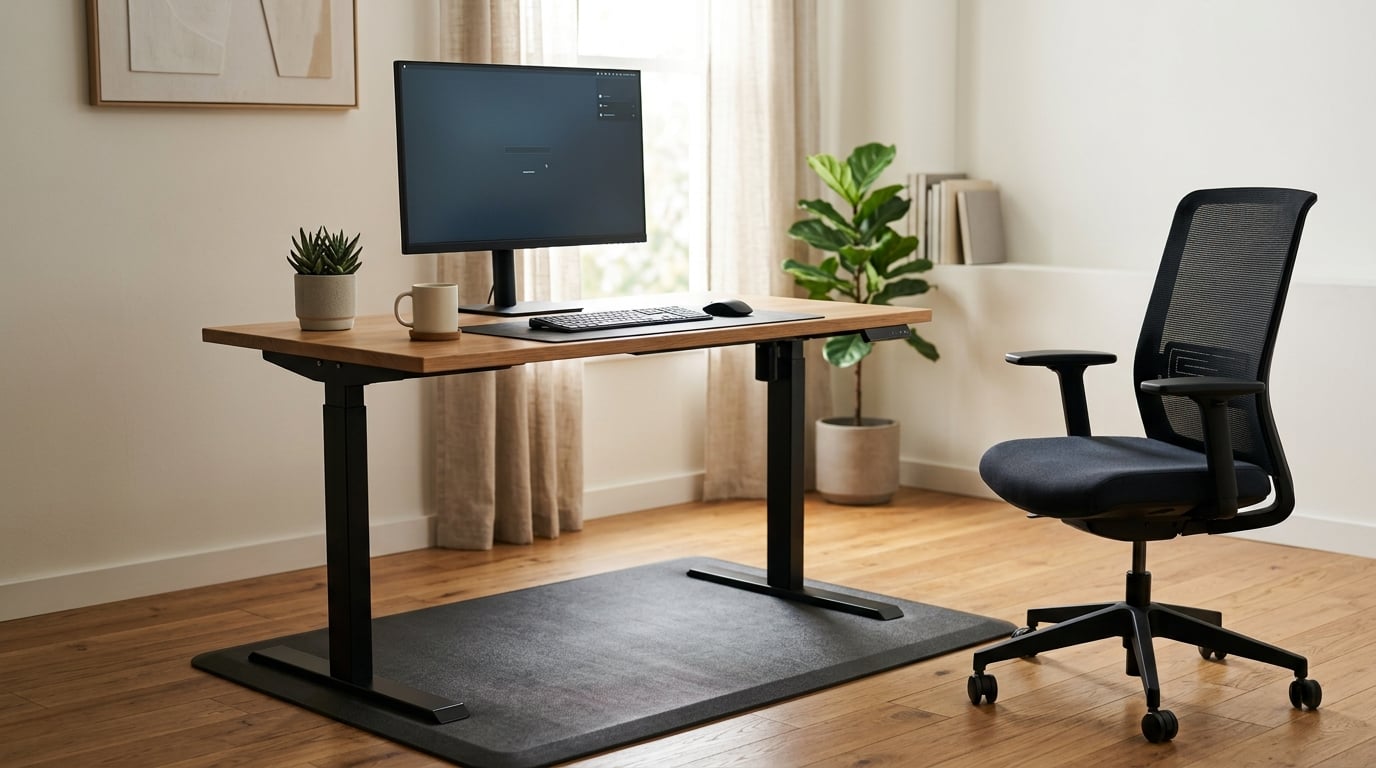
A sit-stand desk and a standing desk mat are not two versions of the same thing. The desk changes your posture by moving the work surface between sitting and standing height. The mat does not move anything — it makes the position you are already in easier on your feet and legs. Most people need one, some need both, and very few need a desk before they have tried a mat.
That confusion is worth clearing up early, because the two get bought for the wrong reason all the time. A mat gets sold as a poor person’s standing desk, and then someone spends a day standing on it and wonders why their back still hurts. Or a sit-stand desk gets installed, and the new standing position turns out to be miserable after ninety minutes because nobody put anything under the feet.
Below is the honest comparison: what each one physically does, how they change your setup, what they cost you in effort and money relative to each other, and the work settings where one clearly wins.
Table of Contents
- Sit Stand Desk vs Standing Desk Mat at a Glance
- What Is a Sit-Stand Desk?
- What Is a Standing Desk Mat?
- Ergonomics and Posture Support
- Movement and Workday Flexibility
- Setup, Stability, and Workspace Fit
- Comfort, Fatigue, and Long-Term Work Habits
- Cost, Maintenance, and Durability
- Which Should You Choose?
- Frequently Asked Questions
- Bottom Line
Sit Stand Desk vs Standing Desk Mat at a Glance
| Criterion | Sit-stand desk | Standing desk mat |
|---|---|---|
| What it is | Height-adjustable furniture: a frame that raises and lowers the whole work surface | A padded floor mat, usually foam or rubber, that you stand on |
| Primary job | Gives you both a seated and a standing workstation in one footprint | Makes an already-standing position more comfortable to hold |
| Used sitting or standing | Both, back and forth throughout the day | Standing only, though it slides under the desk when you sit |
| Change of position | Seconds, at the push of a button or a turn of a crank | None — the surface under your feet is fixed |
| Effect on feet and legs | Indirect: it lets you offload weight when standing gets uncomfortable | Direct: cushioning and micro-movement reduce foot and calf fatigue |
| Effect on monitor and keyboard height | Brings both to elbow height while standing | No effect — the desk surface stays where it is |
| Relative cost | The larger purchase, plus assembly and a floor footprint | The smaller purchase, no tools, no installation |
| Floor space | Needs a full desk footprint plus clearance to move | Needs roughly a mat-sized area, often under 3 square feet |
| Portability | Permanent or semi-permanent; heavy to move between rooms | Rolls up or folds; moves to a hot-desk in seconds |
| Best for | Dedicated workstations, long computer days, shared home offices | Existing fixed-height desks, hot-desking, rentals, small spaces, standing-only roles |
| Relationship | Complements a mat | Complements a desk |
Read that last row again, because it is the whole point. Ask an office manager and they will tell you the mat is an accessory to the desk. Ask someone who works eight hours a day at a kitchen table and they will tell you the mat is the setup and the desk is a someday purchase. Both are describing their own situation correctly.
What Is a Sit-Stand Desk?
A sit-stand desk is a desk whose work surface moves through a range of heights, so the same surface can be at seated height in the morning and standing height in the afternoon. The desktop itself is often an ordinary tabletop; the mechanism lives underneath in the frame.
There are three common mechanisms. A hand-crank desk is turned by hand, usually with a few turns per adjustment, and it is the simplest and often the least expensive route. A single-motor electric desk lifts on one motor, which is fine for a light desktop but can feel slow or slightly wobbly with a heavy top. A dual-motor electric desk uses a motor at each leg column, and the extra power and stability is why most frequent users end up there.
Most electric frames run somewhere around 25 to 50 inches of height range, and many add memory presets so you tap one button and the desk returns to your seated or standing setting. That memory function sounds like a gimmick until you realize it is the difference between actually alternating and talking about alternating.
The main benefit is option. A fixed-height desk makes you choose once — usually sitting, because sitting is the default — and then stay there for years. A sit-stand desk turns position into a decision you make every hour, which is the only way the ergonomic case for either option holds up.
What Is a Standing Desk Mat?
A standing desk mat, usually sold as an anti-fatigue mat, is a cushioned surface that sits on the floor where you stand. It does not change the height of anything. It has no motor, no frame and no moving parts, and you can roll it up and carry it under one arm.
The mechanism is simpler than most product descriptions suggest. Standing still on a hard floor for hours means your calf muscles hold your weight without much change, your feet absorb static pressure, and your lower legs swell and ache. A mat’s foam or rubber compresses slightly under each foot and rebounds, so your weight shifts constantly by small amounts. Those tiny adjustments keep muscles working and blood moving instead of holding one static load for hours.
That is the micro-movement argument, and it is the reason surface texture matters. A flat mat feels pleasant underfoot and does very little to provoke movement. A textured or terrain mat with ridges and contours is deliberately uneven, so your feet keep making small corrections the entire time you stand. People who spend long hours standing tend to report the textured surface as the reason the position is sustainable, and the flat surface as merely comfortable for an hour.
What the mat never does is raise your desk. If your keyboard is at seated height, a mat underneath you does not fix that — it only makes the standing work in front of a desk that is too low a little less miserable.
Ergonomics and Posture Support
Neither option adjusts your posture by itself. A sit-stand desk gives you the height range to get your elbows to roughly 90 degrees; a mat gives your feet somewhere survivable to stand on. Get either one wrong and you trade one problem for another.
How to set your standing desk height
Stand up, let your arms hang, and bend your elbows until your forearms are parallel to the floor. Measure from the floor to the top of that elbow height. That is your standing desk height, and the difference between it and the seated measurement is how far your work surface has to travel.
Two details get missed. If the monitor ends up below eye level when the desk is up, it needs a riser or an arm, because looking down at a screen is a new neck problem on top of the one you were trying to fix. And if the desk has a rear crossbar, your thighs hit it at standing height, so check for leg clearance before you commit to a frame shape.
What a mat actually changes about your stance
Less than people expect, honestly. A mat does not straighten your back and it does not pull your shoulders back. What it does is remove the reason many people give up on standing in the first place: burning feet and aching calves by mid-afternoon. Take that away and people stand longer, and longer standing is what makes alternating positions possible.
Two other variables matter more than most buyers expect. Footwear changes everything — cushioned foam soles spread load, while flat shoes and rigid heels concentrate it, and a mat under bad shoes is a lot less useful. And a hard, cold floor draws heat out of your feet, which is its own kind of fatigue. If you are on hardwood or tile all day, the mat is doing more work for you than it would on carpet.
Movement and Workday Flexibility
This is the criterion where the comparison is least close. A sit-stand desk changes position on demand, and a mat never will. If your day is eight hours of mixed computer work, two hours of calls, and paperwork in between, the ability to change position at 11am without rearranging anything is worth a lot.
The 20-8-2 rule for sitting and standing
The 20-8-2 rule is the most commonly named protocol in this space, and it is a frequency guideline rather than a medical one. It suggests 20 minutes of standing for every 30 minutes of sitting, broken into two standing periods of about 10 minutes, in a typical two-hour cycle.
Splitting the standing into two shorter blocks is the part most people miss. One long standing block of two hours is not the same thing as two standing blocks of one hour, even at the same total. Your body tolerates standing better when the load is broken up, and the same logic applies to sitting.
When neither option fits: active sitting
Sometimes the honest answer is that a mat and a sit-stand desk both add a piece of furniture to a situation that has no room for furniture. A perching stool, a kneeling chair, a balance disc or a stool at a counter-height surface all let you change position without a mechanism. They are cheaper, lighter and they work in rooms where a desk frame will not.
And the simplest intervention of all is a movement break. Standing up for two minutes every half hour, on your own terms, with nothing else changed, does more for a workday than most equipment purchases. The equipment helps you move more easily. It is not a substitute for moving.
Setup, Stability, and Workspace Fit
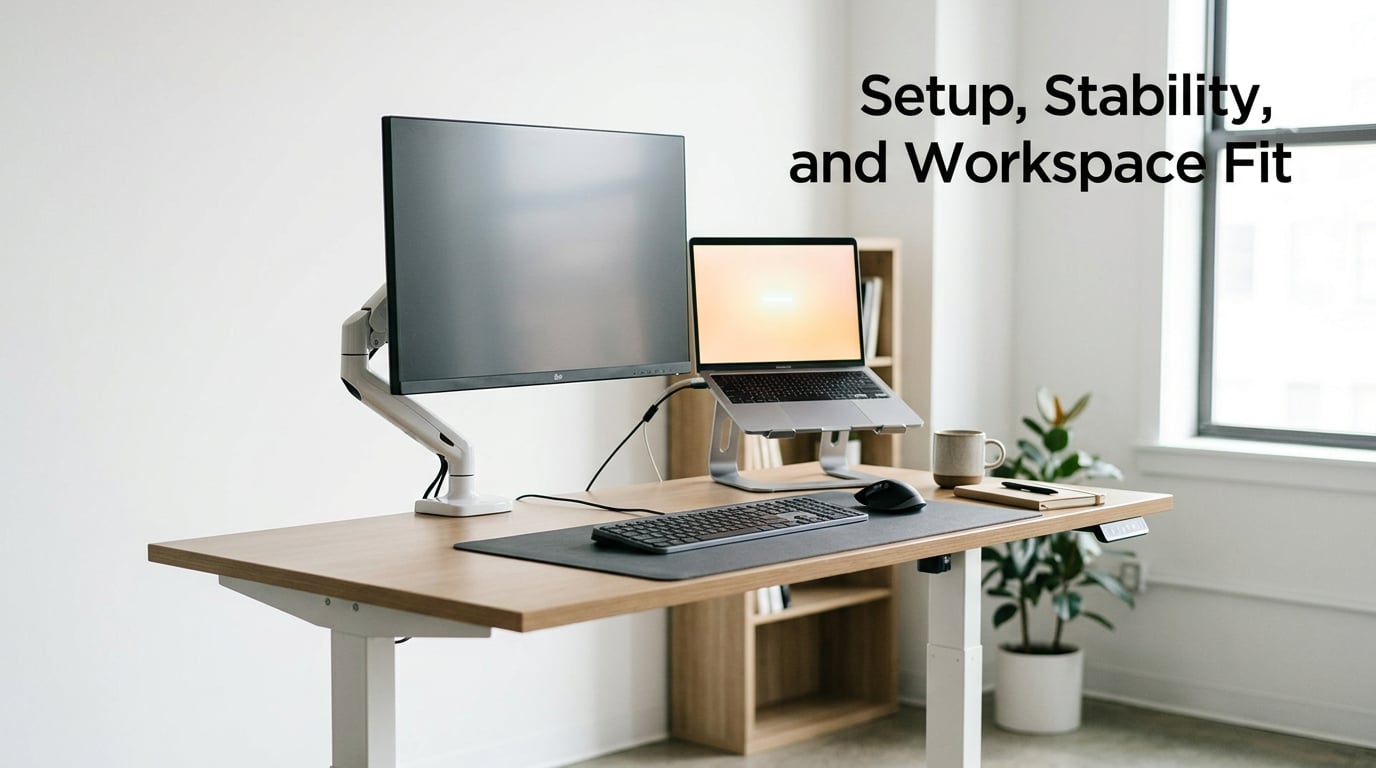
A sit-stand desk is an installation project. The frame needs floor clearance in both positions, the feet need to sit on a flat surface, and a heavy desktop plus a monitor arm can mean a second person or a professional assembly. Cable management is its own small project, because the monitor, dock and power strip all need slack in the full travel of the frame. None of that is difficult, but it is real work on a weekend.
A mat is the opposite. It unrolls, it slides under the desk, and it works on carpet, hardwood or tile. It needs no clearance, no outlet, and no tools. That is a genuine advantage in a rental, a temporary assignment, a coworking space or a room where the desk is the wrong shape or the wrong place.
Two practical cautions on the mat side. In a shared office, a thick mat with a raised edge is a trip hazard that office managers and safety staff will sometimes refuse, and it is worth raising that objection yourself before buying rather than after. On very thick shag carpet, a mat edge can catch as you slide it, so check the fit on your actual floor, not on hardwood in a showroom.
Repositioning is the underrated mat problem. Every time you sit down, somebody has to reach down and drag that mat out from under the desk, and that friction is the single most common reason a mat ends up pushed against a wall. A mat with a sliding base lets you nudge it back with your foot, and a low-profile beveled edge keeps it from catching when it does move.
Comfort, Fatigue, and Long-Term Work Habits
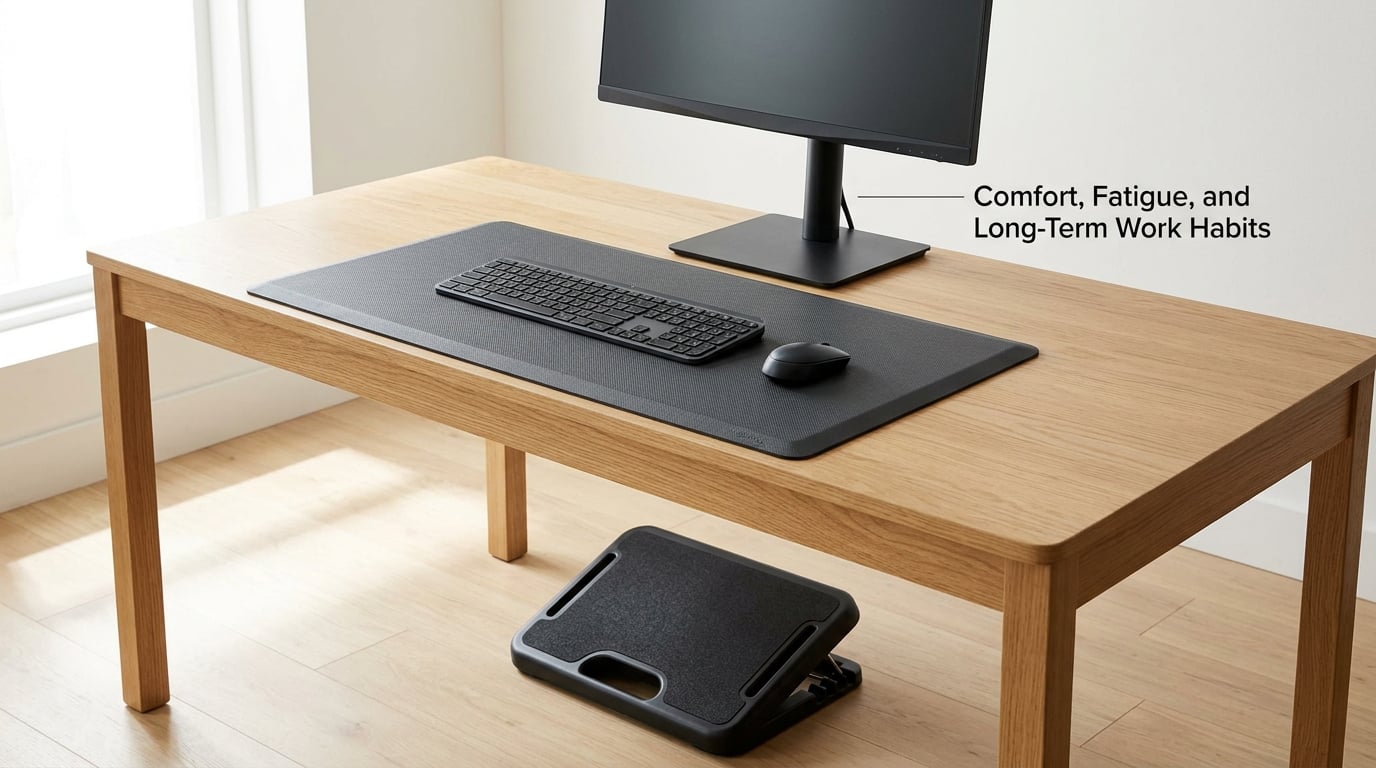
Prolonged sitting and prolonged standing both carry costs, and it is worth saying that plainly because the marketing around both goes in opposite directions. Sitting for long stretches is associated with cardiometabolic risk that movement alone does not fully offset. Standing for long stretches without support causes foot, leg and lower-back discomfort, and swelling in the feet and ankles.
That is the argument for alternating rather than choosing a side. The most useful pattern is frequent small changes: sit, stand, shift weight, sit again, with the change happening every half hour or so rather than once at lunch. A mat makes each standing block longer and more comfortable; a sit-stand desk makes more standing blocks possible in the first place.
On selection, the criteria that matter are unglamorous. Size should cover your full stance plus a few inches, because a mat that is too small leaves your heels hanging off the cushioned area. Thickness matters: very thin foam feels like nothing, and a mat that is too soft bottoms out and stops absorbing pressure. A rubberized or textured backing helps on smooth floors. And a bevelled edge is what keeps the trip-hazard objection from being raised against you.
If you have persistent back or foot pain, get that assessed before you buy either one. Equipment choices are cheap to change, and someone who can look at your specific situation is more useful than any product page, including this one.
Cost, Maintenance, and Durability
A mat is a small fraction of what a sit-stand desk costs, and that gap is the single biggest practical fact in this comparison. The desk is the larger purchase by a wide margin, and it brings assembly time, a permanent floor footprint, and eventual frame and motor servicing. A mat brings a replacement cycle every few years, since foam compresses and the surface wears.
On maintenance, the desk needs almost nothing if it is electric, beyond keeping the frame joints tight and clearing the crossbar area. The mat needs almost nothing beyond being rolled out flat and occasionally wiped down. If you work barefoot, spend attention on materials and off-gassing rather than appearance, since a new foam product releasing a smell in an enclosed room is a real and common complaint.
For employers, there is a further layer. A sit-stand desk is capital equipment that belongs to the workstation, needs a standard across the team so everyone can use the same controls, and may need to go through a facilities and safety review. A mat is a consumable individual item, which makes it much easier to approve and to replace. That difference often decides the question in an office where the individual has no purchasing authority.
Which Should You Choose?
Four questions that settle it
1. Do you already have a desk you cannot replace, or are you renting? If the desk is fixed or the space is temporary, a mat is the only realistic option.
2. How many hours a day do you work at a screen? Under about two hours, a mat and your existing setup may be plenty. Eight or more, and alternating positions is worth building into the furniture.
3. Do you need to move between different work areas during the day, or share a desk? A mat travels and a sit-stand desk does not.
4. How much standing can you comfortably tolerate right now, with no support? If the honest answer is under an hour, start with the mat, because it is the cheaper way to find out how your body responds.
By work setting, the pattern is fairly consistent. A sit-stand desk makes the most sense for a dedicated workstation, a home office used daily for long stretches, a shared home where two people need different heights, and anyone managing recurring back discomfort who has been told to change position regularly. A standing desk mat makes the most sense with a fixed-height desk you like, in a small apartment where a large frame will not fit, in a rental, for hot-desking and coworking, for standing-only work such as lab, studio or retail tasks, and as a low-commitment first step before committing to furniture.
Some people end up with both, and the order matters. Get the mat first if standing is new to you, because it is reversible and it tells you how much standing you actually want. Add the desk once you know you would use it daily. If you already own a sit-stand desk, a mat is the sensible next purchase, because the standing position you already chose is the one that needs cushioning.
And there are situations where neither is enough on its own. If your monitor is at the wrong height, no mat fixes your neck. If you never leave your chair, a sit-stand desk you never raise is just an expensive desk. If your back pain has an underlying cause, equipment is an accessory to treatment, not a substitute for it.
Frequently Asked Questions
Is a standing desk mat better than a sit-stand desk?
Neither is better in general, because they do different jobs. A sit-stand desk changes your working height so you can alternate between sitting and standing. A standing desk mat only changes how the standing position feels, by cushioning your feet and encouraging small movements. Pick the desk for long days and frequent position changes, and the mat for existing desks, shared spaces, small rooms or temporary setups.
Can I use a standing desk mat with my regular desk?
Yes, and that is the most common way mats get used. A standing desk mat is a floor mat, so it works with any fixed-height desk as long as you can stand at it comfortably. If your desktop is too low for standing work, the mat will not correct that, and you will need a riser, a monitor arm or a taller surface to bring the keyboard and mouse to elbow height.
How long should I stand while working?
Most guidance suggests breaking standing into shorter blocks rather than one long session, which is the idea behind the 20-8-2 rule: roughly 20 minutes of standing for every 30 minutes of sitting, split into two standing periods. The more important point is frequency. Changing position every half hour or so is more useful than standing for three hours straight once a day, and an anti-fatigue mat makes each standing block easier to hold.
Does a standing desk mat help with back or foot pain?
It can help with discomfort caused by standing on a hard floor for a long time, because the cushioning reduces pressure under the feet and the shifting surface keeps your calves working instead of holding one static load. It does not treat back pain caused by weak muscles, poor desk height or an underlying condition. If your pain persists, have it assessed by a qualified professional before changing equipment.
Do I still need an ergonomic chair if I have a sit-stand desk?
Yes. A sit-stand desk gives you the height range, but most of the day is still spent seated, and a chair is what supports your back, pelvis and shoulders in that position. Look for adjustable seat height, adjustable lumbar support and armrests that let your shoulders relax, and set the desk to match the chair rather than the other way around. Alternating positions only helps if both positions are set up properly.
Bottom Line
A sit-stand desk wins when you need both positions on demand; a standing desk mat wins when you already have a desk you like and standing is uncomfortable on a hard floor. Start by testing your existing work surface for a full week, note how long you can comfortably stand and how often you switch position, then match the option to your workstation, your floor and your budget. If the standing position turns out to be the one you want more of, that is the one worth investing in.