
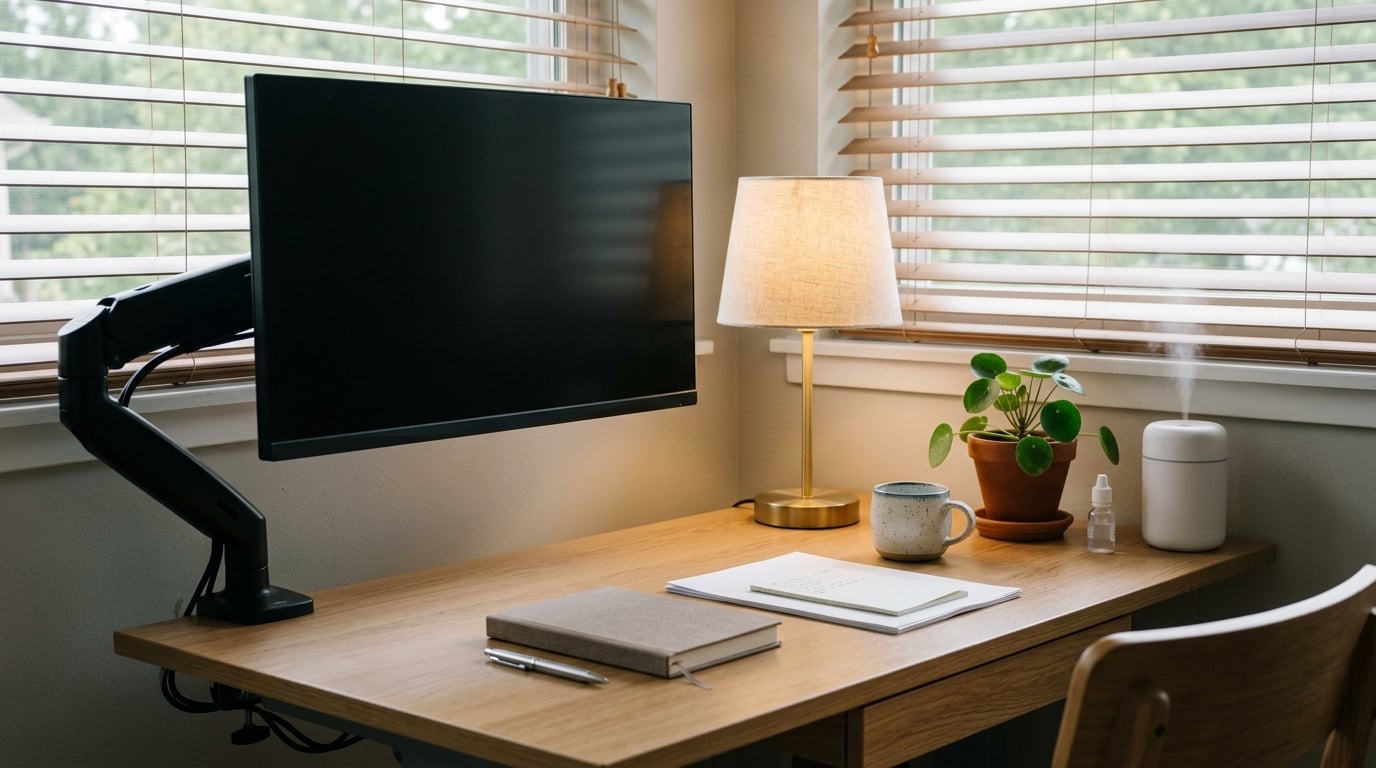
To prevent eye strain from computer screens, you need three things: a screen at arm’s length and slightly below eye level, a room lit brightly enough that the display is never the brightest thing in your vision, and breaks every 20 minutes. Setup takes about ten minutes, the habit takes a week. This is general information, not medical advice.
Most of what we call screen tiredness is not eye damage. It is a temporary fatigue that shows up as dry eyes, a headache behind the eyes, blurry focus at the end of the day, and shoulders that have crept up toward your ears. Fix the setup, fix the break rhythm, and most of it goes away.
Table of Contents
What You Need
None of the essentials cost money, and that is the point. If you buy one thing, make it a proper desk setup rather than a pair of specialty glasses.
- An adjustable monitor arm or a stable riser. Height matters more than the panel itself. A stack of heavy books works fine for a laptop.
- A chair that puts your forearms at roughly 90 degrees. A screen at the right height is useless if your neck is tilted to reach it.
- Something to close or turn off. Blinds, curtains, or a desk lamp aimed at your work rather than your face.
- A ten-minute window. You only need it once to reposition everything properly.
- Optional, genuinely useful: preservative-free artificial tears, a small humidifier for dry air-conditioned rooms, and a matte anti-glare screen protector.
You do not need a specific brand of anything. The American Academy of Ophthalmology’s guidance on computer use is about position, light and break timing, not gear.
How to Prevent Eye Strain From Computer Screens, Step by Step
Work through these in order. The first three handle most of the discomfort, and the last two handle the dryness and the neck pain that come with a long day.
Set the Screen at a Comfortable Distance and Height
Put the screen 20 to 30 inches away, roughly an arm’s length, where you can rest your elbow almost straight. The top edge of the display should sit at or slightly below eye level, so your gaze angles gently downward instead of upward.
Looking up at a screen all day is one of the fastest routes to a stiff neck, and a stiff neck is a headache. If the text feels too small at arm’s length, increase the font size rather than leaning in. Most operating systems let you scale the whole interface in a couple of clicks.
Laptops are the difficult case, because the screen and the keyboard are one object. Raise the laptop so the top of the screen is near eye level, then use an external keyboard and mouse, even a cheap wireless set. Without the keyboard part, you trade eye strain for wrist and shoulder strain.
For dual monitors, push both to the same distance and the same height, and place the one you use most directly in front of you. Twist your neck between a low laptop screen and a tall side monitor all day and you will feel it by Thursday.
Reduce Glare and Improve Lighting
Set your screen at a right angle to any window, not facing it. If a window is behind you, your monitor becomes a mirror of the outdoor light and you will fight it all afternoon. Blinds or curtains beat fighting.
Turn off overhead lights that hang directly above the screen, and light the room instead. A simple rule from the Mayo Clinic and optometry practices: the room should be brighter than the screen, never darker. Matching screen brightness to the ambient light around it is the single most effective display adjustment.
If overhead lighting is all you have, a desk lamp pointed at your keyboard and documents adds contrast without reflecting off the display. Avoid a bright lamp pointed at the screen itself.
Glare-proofing filters are worth it in a windowless room with fluorescent lighting. They are a trap if your room is already dim or if you have uncorrected vision, because they darken the panel and force you to squint harder. If the screen looks dim with a filter on, take it off.
Use the 20-20-20 Rule for Regular Breaks
Every 20 minutes, look at something 20 feet away for 20 seconds. Harvard Health opens its guidance with this rule for a reason, and the American Optometric Association recommends it too, along with resting your eyes for 15 minutes every 2 hours of screen use.
Here is why it works. Your focusing muscles hold one near distance for a long stretch without ever changing focal length, and 20 feet pushes that focus out to infinity, which lets them relax. Looking away also encourages a full blink, which is the fix for the next problem on this list.
Getting the habit to stick is the hard part, not the rule. People in IT admin roles and developers describe using 20-20-20 as standard practice for long shifts, and most of them do it with something external: a repeating timer, a calendar reminder, or an app that dims the screen. Willpower alone loses to a spreadsheet that needs finishing.
The 20-20-20 rule is also not sufficient on its own. Forum users with genuinely dry eyes report doing it faithfully and still straining by late afternoon. Use it as the floor, not the ceiling.
Blink Often and Keep the Screen Clean
Your blink rate drops from roughly 15 to 20 times a minute to around half of that while you stare at a screen, and many of the remaining blinks are incomplete, letting the surface of the eye dry out. The result is the burning, sandy feeling that drives people to reach for drops.
Make your blinks deliberate and complete. When you finish a paragraph or a line of code, close your eyes fully for a beat. A few times a minute is enough to make a difference over a day.
Keep the room humid in air-conditioned offices, and keep air vents from blowing straight at your face. If you need drops, preservative-free artificial tears used as needed are the usual first step. Stay away from redness-relief drops, which constrict blood vessels and can cause rebound dryness when used often.
Wipe the display with a microfiber cloth when it gets smudged. A smudged panel scatters light and makes text edges fuzzy, which is an invitation to squint. Keep the vents on the back and sides clear so the panel can run cool.
Take Longer Breaks Away From the Screen
Micro-breaks reset your eyes, but they do not reset your posture. Every hour, get up and move for about five minutes: walk to the kitchen, stand in a doorway, take the stairs.
Breaking flow state is the part everyone complains about. The fix is to attach the break to something you already do rather than to a random timer. Stand up when a call ends. Walk for the first two minutes of a meeting where you are muted and not speaking.
Looking out a window during these breaks does double duty, giving your eyes distance to focus on and your neck a change of position. Contact lens wearers report faster drying than glasses wearers, so they should be more deliberate about the hourly walk and the full blinks.
Finish the workday away from screens. The last hour before bed matters more than people expect, because bright evening light shifts the sleep-wake cycle as well as tiring the eyes.
Common Mistakes
Almost every setup problem I see has one of these causes, and each has a one-line fix.
- Sitting too close. If you cannot stretch your arm comfortably toward the screen, it is too close. Push it back and scale the text up.
- Looking slightly upward all day. The top of the screen should be at or below eye level, not above it.
- Working in dim light. A bright screen in a dark room is the worst combination there is. Light the room.
- Facing a window. Turn the screen 90 degrees or close the blinds.
- Leaving a laptop flat on the desk. Raise it and add an external keyboard, or accept that your neck will hurt.
- Staring without blinking. Build full blinks into the end of each line or paragraph.
- Using redness-relief drops daily. Switch to preservative-free artificial tears and mention the frequent use to your eye doctor.
- Adding a dark filter to a dim screen. Some anti-glare filters make the display too dark to read comfortably. Remove it and fix the lighting instead.
- Relying on the 20-20-20 rule alone. It handles focus, not dryness, posture or an uncorrected prescription.
- Pushing through persistent symptoms. Pain, double vision, or watering that never settles needs an exam, not another app.
Frequently Asked Questions
Do blue light glasses really work for computers?
The evidence is limited and inconsistent for reducing digital eye strain. The bigger, better-supported contributors are reduced blinking, sustained near focus, glare, and uncorrected vision, so fixing those matters more than a filter. Some people find blue light glasses subjectively more comfortable, and they may cut glare and reflection. They are not proven to prevent retinal damage, and if sleep is the concern, evening screen habits matter more.
Which is worse for your eyes, a laptop or a phone?
Viewing distance decides it, not the device. A phone held about 10 inches away forces continuous accommodation at close range, and a laptop pushes the screen below eye level, which hunches the neck. The worst combination is a small screen held close and low. Fix the distance and the height before you decide which device to blame.
Does computer eye strain go away?
Usually yes, because digital eye strain is a temporary fatigue rather than damage, and it typically clears once your viewing habits improve. It is not a diagnosis, though. If symptoms last more than a couple of weeks despite correct breaks, or you have pain, double vision, or constant watering, book a comprehensive eye exam for refractive error or dry eye disease.
What are the best eye drops for screen time?
Preservative-free artificial tears, either carbomerate or cellulose based, used as needed are the usual first step for everyday screen dryness. Lubricating drops beat redness-relief drops, which can cause rebound dryness with frequent use. Deliberate full blinks and a humidifier matter more than any bottle. Persistent dry eye needs an optometrist, not a trial of drops.
How far away should my monitor be from my eyes?
Between 20 and 30 inches, or roughly an arm’s length, with your elbow almost straight at your side. The top of the screen should sit at or slightly below eye level so your gaze points gently down. If text is too small at that distance, increase the font size instead of moving closer. Laptop users should raise the screen and add an external keyboard.
How do I know if my eye strain is something more serious?
Digital eye strain settles with better habits and does not cause persistent pain, double vision, or constant watering. If you notice any of those, or if you need lubricating drops every 30 minutes and regular breaks are not helping, make an appointment. An eye doctor can check your prescription and assess your tear film, neither of which you can test at home.
Conclusion
Start with the two changes that take five minutes: push the screen to arm’s length with the top edge at or slightly below eye level, and turn the screen 90 degrees away from any window. Then set a 20-minute timer for the 20-20-20 rule and add a five-minute walk every hour.
Consistency beats equipment. A good setup that you ignore for six weeks will not help, and a mediocre setup you adjust once and keep will. The blinking habit, the brighter room, and the nightly hour away from screens do the rest.
If you still have pain, blurry vision, headaches, or watering eyes after a couple of weeks of doing all of this, book a comprehensive eye exam. That covers a prescription you have outgrown and dry eye disease, which no amount of workstation tweaking will resolve.
Reviewed for accuracy in October 2026. This article is general information, not medical advice.